
Quick answer
For most UK golfers starting out: a radar monitor with a built-in screen at £199 to £480. The Shot Scope LM1 at £199.99 is the clearest choice if you just want range data. The Garmin Approach R10 at £479 is the entry point if you want simulator golf as well. Neither requires a subscription for basic use. See our full picks →
Why it matters
Why knowing your numbers changes your game.
Shot Scope's 2025 Annual Report analysed over 74 million shots by amateur golfers worldwide. The finding that matters most: scoring improvements come not from longer drives or swing changes, but from better decision-making on approach shots. Golfers who track their game with Shot Scope save an average of 4.1 strokes after 30 rounds, and the single most impactful change is knowing exactly how far they carry each club.
The problem most golfers have is not ball striking. It is distance calibration. A golfer who believes their 7-iron carries 165 yards when it actually carries 148 yards will make 17 yards of club selection errors on every approach shot that looks like a 7-iron. A launch monitor removes that error from the equation entirely.
Beyond carry distances, a launch monitor reveals patterns you cannot see with the naked eye. Your smash factor tells you how consistently you are striking the centre of the face. Your spin rate tells you why that apparently pure drive still runs through the fairway. Your club path data tells you something real about your swing shape that no mirror or video can show as clearly. This is data that coaches use in every professional fitting session. It is now available for under £200.

The five decisions
Five decisions before you buy.
Do you want simulator golf or just practice data?
The launch monitor market serves two distinct purposes that share hardware but require different thinking. Range practice monitors are about data acquisition: knowing your carry distances, smash factor, and ball speed at the range or in the back garden. Simulator monitors are about playing virtual golf: loading a course on a screen and hitting real balls at a net or impact screen.
A device optimised for range practice is not necessarily ideal for home simulator use. Range-focused monitors prioritise portability, battery life, simplicity, and outdoor reliability. Simulator-focused monitors prioritise software compatibility, spin accuracy, and the ability to function reliably in an indoor space. The Shot Scope LM1 is outstanding for range work and nearly useless for simulator play. The Bushnell Launch Pro is outstanding for simulator use and poor value for someone who just wants to know their carry distances.
Most golfers lean one way. Identify your primary use case before comparing specifications.
Will you use it indoors, outdoors, or both?
The technology inside a launch monitor determines where it performs best. Radar-based monitors, including the Shot Scope LM1, PRGR, Voice Caddie range, and Garmin Approach R10, work reliably in both indoor and outdoor conditions. They are the natural choice for golfers who primarily want to take a monitor to the range.
Photometric monitors, which use cameras to observe ball impact directly, perform best in controlled indoor light. Variable outdoor light, including the unpredictable overcast conditions that characterise UK ranges, can affect consistency. The original SkyTrak and the Bushnell Launch Pro Indoor are indoor-first devices.
Fusion monitors, including the FlightScope Mevo Gen2 and SkyTrak+, combine radar and camera. They are the most versatile: reliable outdoors like a radar device, with the spin accuracy of a photometric system indoors. If you genuinely want a monitor that works both at the range and in a home bay, a fusion system is the right category.
How much space do you have?
If you are buying a launch monitor purely for range use, space is not a consideration. But if you want to use it at home, the requirements are real. A functional indoor hitting bay needs a minimum of three metres of clear depth from the hitting position to an impact screen or net. Four to five metres is more comfortable. Ball speed from a driver can reach 150 mph: a net rated for the appropriate speed is not optional.
Ceiling height matters less than marketing suggests for club-only shots, but full-swing drivers in a low garage ceiling do happen. The practical minimum is around 2.5 metres for most golfers.
Many UK golfers who want simulator play use it primarily for iron and wedge practice in a tighter space. Knowing your ceiling height and depth before choosing a monitor or a screen matters. Some monitors, including the Rapsodo MLM2PRO, require minimum clearance behind the ball for their cameras to function correctly.
What is your real three-year budget?
Hardware price is only part of the cost of ownership. Several well-known launch monitors require paid subscriptions to unlock the features shown in their marketing. The Garmin Approach R10 at £479 requires a Garmin Golf membership for Home Tee Hero simulator access. The Bushnell Launch Pro at £2,790 requires a paid subscription to unlock club data. The Rapsodo MLM2PRO at £649 requires a membership for simulator courses.
Over three years, a subscription at $200 per year adds approximately £480 to the device cost. At $499 per year, that is approximately £1,200. These are not marginal numbers relative to the hardware price. Before deciding between a £649 device with subscriptions and a £1,199 device with everything included, calculate the realistic three-year total for each option. The FlightScope Mevo Gen2 at £1,199 with eight E6 courses included and no subscription often works out cheaper over three years than cheaper devices that charge for access.
How many metrics do you actually need?
Launch monitor marketing frequently leads with the metric count. Fifty parameters sounds more rigorous than five. But for most golfers, the metrics that actually change your game are a short list: carry distance, ball speed, and smash factor. These three numbers tell you how far you actually carry each club, how fast your swing is delivering the face, and how consistently you are striking the centre of the face.
The next tier of usefulness includes spin rate, launch angle, and club path data. These become meaningful when you start working with a coach on specific shot shapes, when you are trying to understand why a shot behaves a certain way, or when you are getting fitted for new equipment.
Metrics beyond this are genuinely useful for professionals, custom fitters, and serious students of the game. If you are buying your first launch monitor, do not pay a premium for fifty parameters you will not look at in the first year of ownership. Start with what you need, not what sounds impressive in a specification table.
By handicap
Which launch monitor for your game.
The right launch monitor depends on what you want to do with it and where you are in your game. Below are our recommendations across five handicap bands.
Beginner
Handicap 20+
At this stage, the single most valuable data point is carry distance by club. Nothing else comes close. You want to know how far your 7-iron actually carries, not how far it carries when you catch it perfectly.
What you need: Accurate carry distances with no complexity. A device that is ready in under a minute, requires no phone, and tells you the numbers you need without overwhelming you with data.
Top picks
- Shot Scope LM1— Built-in screen, five metrics, no subscription. The simplest quality launch monitor available.
- PRGR Portable— Pocket-sized, AAA batteries, no charging. Carry distances without any complexity.
- Voice Caddie SC200 Plus— Four metrics, runs on AAA batteries, voice output. Maximum simplicity.
Mid
Handicap 13–20
You are starting to think more carefully about your game. Carry distances matter, but you are also interested in whether your strike is improving and whether you can gap your clubs more precisely.
What you need: Core metrics including launch angle and spin rate. Consider whether simulator golf at home would extend your practice into winter. Budget carefully for total three-year cost including any subscription.
Top picks
- Voice Caddie SC4 Pro— Built-in screen, spin metrics, E6 simulator with five courses included. The most complete package under £500.
- Garmin Approach R10— Twelve metrics, 43,000 courses via Home Tee Hero. Factor in the Garmin Golf membership cost.
- Rapsodo MLM2PRO— Directly measured spin data, impact vision. Note the RPT ball requirement and Premium membership cost.
Low
Handicap 5–12
You will use spin data, attack angle, and club path productively. Data is only useful when it is accurate enough to act on, so the technology gap between radar estimation and direct measurement starts to matter at this level.
What you need: Directly measured metrics rather than estimated ones. Indoor performance matters if you plan to use it through winter. Subscription costs are worth calculating over three years.
Top picks
- FlightScope Mevo Gen2— 20 directly measured parameters, no subscription, 8 E6 courses included. Independently rated as the best personal launch monitor available.
- Rapsodo MLM2PRO— Camera and radar combined for the most complete data under £700. RPT balls required for spin accuracy.
- SkyTrak+— Dual radar plus camera, 21 metrics including club data. Course play subscription required.
Scratch
Handicap 0–4
Every number needs to be trustworthy. You are making technical decisions based on the data, comparing sessions over time, and using the information to make deliberate changes to ball flight.
What you need: Camera-based or hybrid technology for maximum indoor accuracy. Face impact location and D-Plane data if you work with a coach. Total cost of ownership over three years calculated before committing.
Top picks
- FlightScope Mevo Gen2 with Pro Package— Adds face impact location and full D-Plane data. The best value path to professional-grade data.
- Bushnell Launch Pro— Three-camera photometric accuracy developed with Foresight Sports. LINK rangefinder integration unique in the category.
- FlightScope X3— 50 parameters, full ball tracking from impact to landing. Professional grade.
- TrackMan 4 / TrackMan iO— The reference standard everything else is measured against. TM4 for portable indoor and outdoor use from ~£20,000. TrackMan iO for a permanent ceiling-mounted indoor bay from ~£11,000. Contact an authorised UK dealer.
Simulator
Building a home simulator
The launch monitor is the most important decision in a simulator build. Everything else — the screen, projector, enclosure — is replaceable. The monitor determines your data quality for the lifetime of the setup.
What you need: Strong indoor performance, wide simulator software compatibility, and a clear view of total cost including any subscription. Measure your room depth before buying a radar device — minimum 5.5 metres is needed.
Top picks
- FlightScope Mevo Gen2— No subscription, 8 courses included, widest simulator software compatibility. The starting point for most builds.
- SkyTrak ST MAX— Dual radar plus camera, GOLFTEC speed training. Subscription required for course play.
- Bushnell Launch Pro Indoor— Camera-based indoor accuracy at £1,890. Mains powered, no battery.
- TrackMan iO— The professional-grade permanent indoor simulator option. Ceiling-mounted, no floor space required, no repositioning between players. From USD 13,995 (~£11,000) with iO Home — upgrade to Home Complete for full club data. Annual software ~$700–$1,100/yr. 500-plus courses on VG3.

Indoor vs outdoor
Five things to know before you buy.
Define your primary use case before you compare anything else
The launch monitor market splits into two very different use cases: range practice and home simulator play. A device optimised for one is not always ideal for the other. Range-focused monitors prioritise portability, battery life, and outdoor performance. Simulator-focused monitors prioritise software compatibility, spin accuracy, and indoor setup. Decide which describes you before comparing specifications.
If you primarily want to know your carry distances at the range and track improvement over time, a device like the Shot Scope LM1 or PRGR gives you everything you need for under £200. If you want simulator play at home, the minimum sensible entry point is the Garmin Approach R10 at £479, with realistic expectations about subscription costs.
Calculate total cost of ownership, not just the hardware price
Several well-known launch monitors require paid subscriptions to access the features shown in their marketing. The Bushnell Launch Pro and Bushnell Launch Pro Indoor require a paid subscription to unlock club data. The Garmin Approach R10 requires a Garmin Golf membership for Home Tee Hero simulator access. The Rapsodo MLM2PRO requires a paid membership for simulator courses.
Over a three-year period, a subscription at $200 per year adds approximately £480 to the cost of the device. At $499 per year, that is approximately £1,200. These are not small numbers relative to the hardware price. Compare total three-year costs across shortlisted devices before deciding. The FlightScope Mevo Gen2 at £1,199 with eight courses included and no subscription can end up cheaper over three years than a cheaper device with an expensive subscription.
Match the device to where you will actually use it
Radar monitors work well both indoors and outdoors. Photometric monitors generally perform best in controlled indoor light. The practical implication: if you intend to use a monitor primarily at a range outdoors, a radar device is the sensible choice. If you are building a dedicated indoor simulator space, a photometric or fusion system gives you better spin accuracy.
For UK golfers who want to use a monitor both at the range and at home, fusion monitors including the FlightScope Mevo Gen2 and the SkyTrak+ offer the best versatility. Purely photometric systems like the original SkyTrak work indoors but can struggle in variable outdoor light without additional setup.
Check simulator software compatibility before buying
Not all launch monitors work with all simulator software platforms. The most widely used platforms in UK homes are E6 Connect, GSPro, and Garmin Home Tee Hero. Before buying a launch monitor for simulator use, confirm that your intended software platform supports it. Most major monitors work with E6 and GSPro, but not all.
PC requirements also matter. Software platforms like FSX (used by the Bushnell Launch Pro) require a dedicated gaming PC to run. If you do not already own a suitable PC, factor this into your budget calculation. Some monitors, including the Garmin Approach R50, are fully self-contained and require no separate computer at all.
Start with carry distance accuracy, not the metric count
Launch monitor marketing regularly leads with the number of metrics measured. Fifty parameters sounds more impressive than five. But for most golfers, the metric that changes your game is carry distance accuracy -- knowing precisely how far each club actually carries, under your real conditions, not what you think or hope.
Once you know your carry distances accurately, the next most useful metrics are smash factor (efficiency of contact), ball speed, and spin rate. Launch angle and club path become useful when you start to work on specific shot shapes with a coach or on your own. If you are buying your first launch monitor, do not pay a premium for fifty metrics you will not look at for the first year.

Technology explained
Radar, photometric, and fusion: the technology explained.
Doppler radar: how it tracks your shot
Doppler radar launch monitors fire a microwave signal at the ball and measure the frequency shift of the return signal as the ball moves through space. From those measurements, the device calculates ball speed, launch direction, and estimated spin. The radar sits behind or beside the golfer, never in the ball flight path.
The practical strengths of radar are clear: it works reliably in changing light conditions, it functions outdoors and indoors, and it requires no ball preparation beyond a standard golf ball. Setup is usually less than a minute. Devices like the Shot Scope LM1, PRGR, and Voice Caddie range use Doppler radar and are the most accessible monitors on the market for this reason.
The limitation of radar is that spin measurement is inferred rather than directly observed. When a ball curves significantly in flight, the radar interprets the changing trajectory and works backwards to estimate spin. This is accurate enough for most golfers, but for the most precise spin data, camera-based systems have the advantage.
Photometric (camera-based): seeing impact directly
Photometric launch monitors use one or more high-speed cameras to photograph the ball in the milliseconds immediately after impact. Rather than inferring what happened from ball flight, they directly observe it. Foresight Sports, the company behind SkyTrak and the Bushnell Launch Pro, pioneered consumer photometric technology and their systems remain the industry benchmark.
The accuracy advantage of photometric systems is most pronounced for spin data. Backspin and sidespin are captured directly from ball rotation observed by the camera, not estimated from trajectory. For golfers building a home simulator where they need reliable feedback on shot shape and spin, this matters.
Photometric systems typically require some setup: the camera faces the ball rather than sitting behind the golfer, and they generally perform best in consistent indoor light. Some systems, including the Bushnell Launch Pro, require additional ball marking or specific balls to measure club data. These are practical considerations for UK buyers building a dedicated space.
Fusion: radar and camera combined
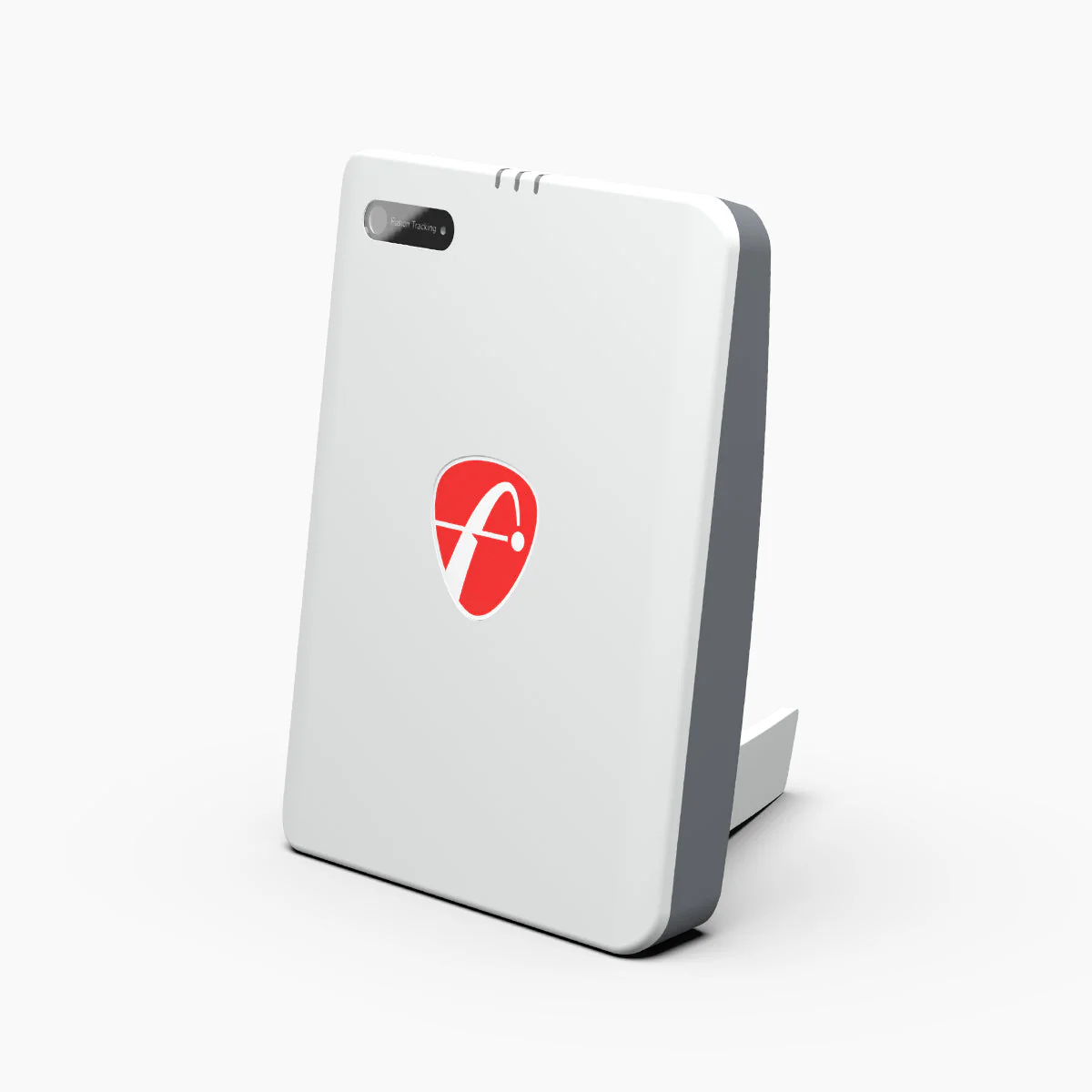
Fusion systems combine Doppler radar and photometric camera in a single device. The SkyTrak+, SkyTrak ST MAX, and FlightScope Mevo Gen2 all use fusion technology. The idea is straightforward: radar captures ball flight data accurately across a wide range of conditions, while the camera captures impact data directly, removing the spin estimation limitation of pure radar systems.
In practice, fusion systems are the most versatile option. They measure club data, including club head speed, club path, face angle, and angle of attack, using the radar, while the camera adds the direct spin measurement. The result is a comprehensive data set that works both indoors and outdoors without the ball preparation requirements of some pure photometric systems.
Fusion monitors sit in the mid-to-premium price range. If you are choosing between a pure radar monitor and a fusion monitor at a similar price point, the fusion system offers meaningfully better spin accuracy and club data. If budget is the primary consideration, a well-regarded radar monitor like the Garmin Approach R10 remains an excellent choice.
Our picks
Five picks for every use case.
Our use-case picks across the full range from £199.99 entry to £2,790 photometric professional. Each pick is independently assessed against verified UK buyer feedback and expert reviews.
 Best Entry-Level
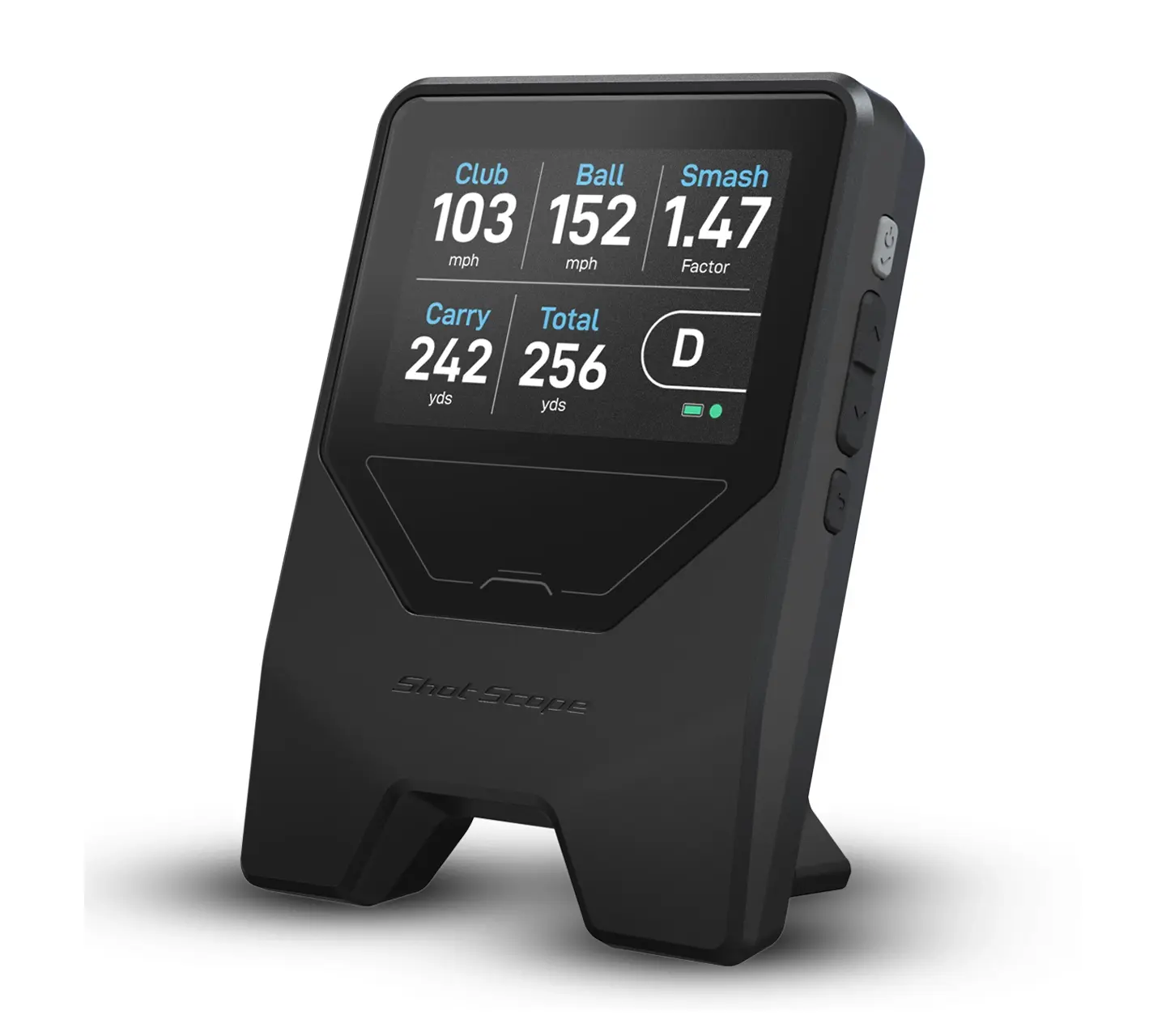
Shot Scope LM1
£199.99
The most accessible launch monitor on the market. Five essential metrics, a built-in 3.5-inch screen, and zero subscription fees. Everything most golfers actually need at the range, for less than the cost of a driver shaft.
Built-in screen means no phone required on the range. Ready in under 60 seconds.
 Best Simulator Entry Point
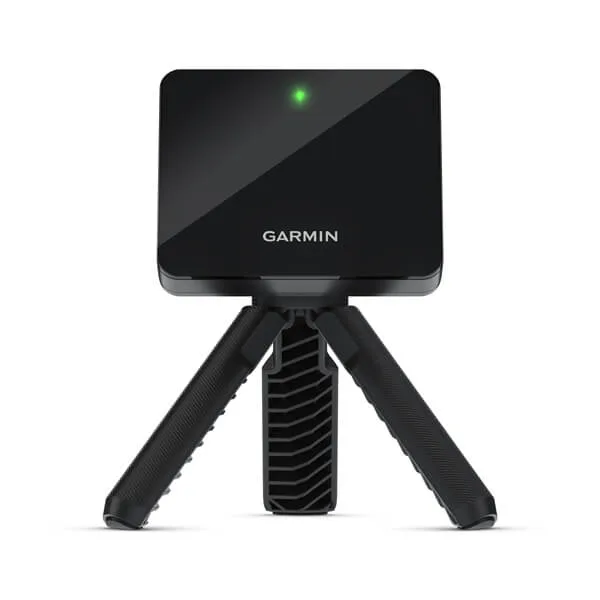
Garmin Approach R10
£479
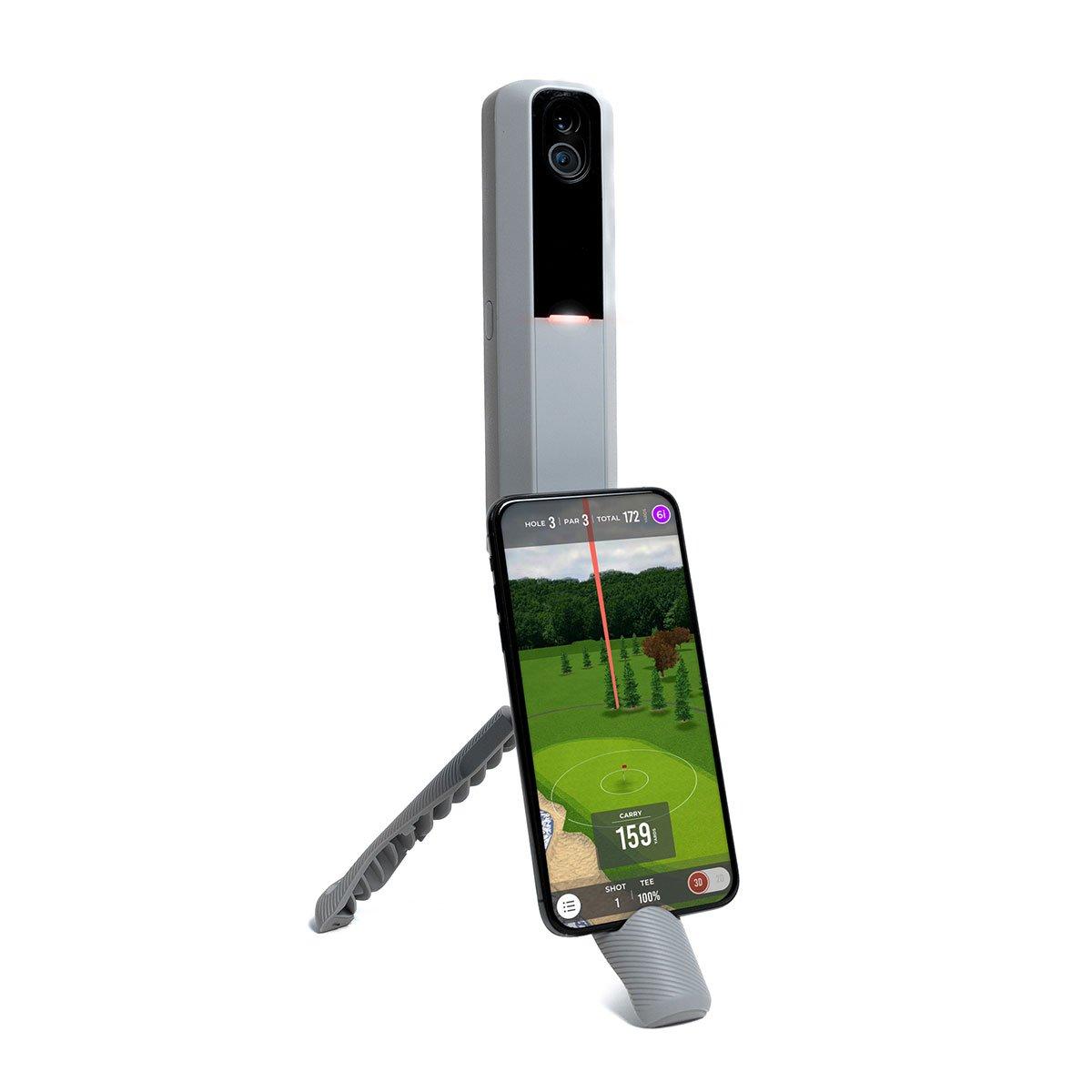
The launch monitor that brought simulator golf into the home. Fourteen metrics, Doppler radar accuracy, and compatibility with every major simulation platform including Home Tee Hero, E6, and GSPro on over 43,000 courses.
IPX7 waterproof and only 148g. Works at the range, in the garage, or in the living room.
 Best All-Rounder
Rapsodo MLM2PRO
£649
Dual camera plus radar gives you eight directly measured metrics including spin rate -- not inferred from trajectory, directly observed at impact. Consistently tops independent accuracy tests at this price point.
240 fps impact vision lets you see exactly what happens at the moment of contact.
- Best Without Subscription
FlightScope Mevo Gen2
£1,199
Fusion tracking, 20 measured parameters, and eight E6 courses included with no ongoing subscription fees. The honest alternative for golfers who want simulator play without a recurring cost.
The only monitor in its class with simulator play included and no subscription required, ever.
 Best Photometric
Bushnell Launch Pro
£2,790
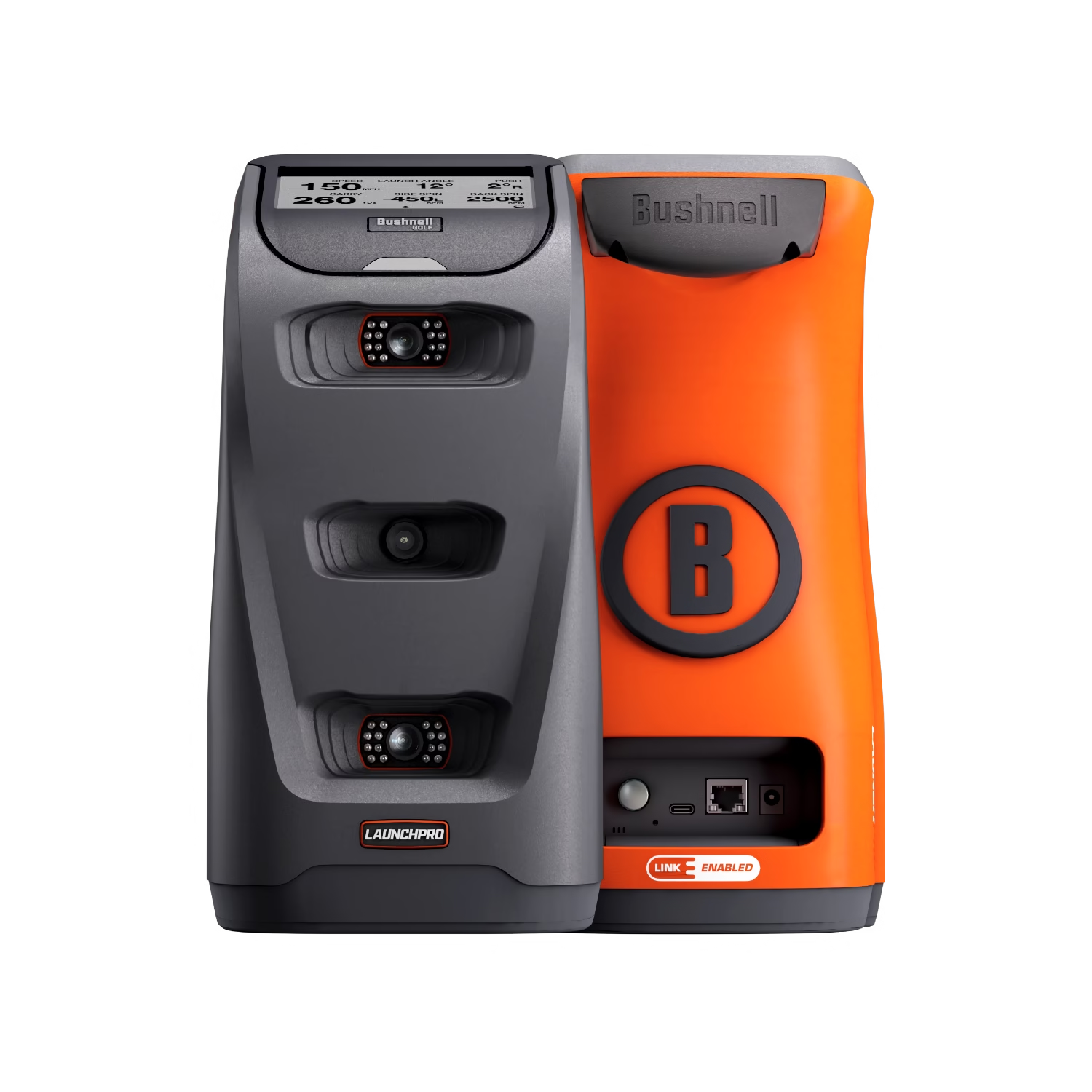
Three high-speed cameras and infrared directly observe what happens at impact. Tour-level ball data accuracy used by professional fitters worldwide and the strongest UK retailer network in the category.
LINK integration feeds your measured carry distances directly into compatible Bushnell rangefinders for on-course club recommendations.
Full comparison
All 18 launch monitors compared.
Every launch monitor with a dedicated page on TopSold Golf, sorted by UK retail price. Click any product name to read the full independent review.
| Product | UK Price | Technology | Metrics | Screen | Subscription | Simulator | Amazon |
|---|---|---|---|---|---|---|---|
Blue Tees RainmakerPre-order | £599.99 (pre-order) | Radar | 20+ | Built-in 4.3" | TBC | E6 / GSPro | — |
| £2,790 | 3-camera photometric | 13+ | Phone / tablet | Required for clubs | Optional | — | |
| £1,890 | 3-camera photometric | 13+ | Phone / tablet | Required for clubs | Optional | — | |
| £1,199 | Fusion radar | 20 | Phone / app | None | 8 courses included | View → | |
| From £9,600 | Dual Doppler radar | 50+ | Phone / tablet | None | 12 E6 courses | — | |
| £479 | Doppler radar | 14 | Phone / app | Optional | Optional | View → | |
| £4,299 | 3-camera photometric | Full | Built-in 10" | Included | 43,000+ courses | — | |
| From £199 | Dual Doppler radar | 5 | Small LCD | None | No | — | |
| £649 | Camera + radar | 8 measured | Phone / app | Optional | Optional | — | |
| £199.99 | Doppler radar | 5 | Built-in 3.5" | None | No | — | |
| From £495 | Photometric | 16 | Phone / tablet | Optional | Optional | — | |
| ~£1,695 | Fusion (radar + camera) | 21 | Phone / tablet | Optional | Optional | — | |
| ~£2,495 | Fusion (radar + camera) | Full | Phone / tablet | Optional | Optional | — | |
| From ~£20,000 | Dual Doppler radar + OERT | 40+ | Phone / tablet / PC | $1,100/yr (software) | Yes — 500+ courses (VG3) | — | |
| From ~£11,000 | Radar + infrared + high-speed camera | 15 (Home) · 23 (Home Complete) | Phone / tablet / PC | $700–$1,100/yr (software) | Yes — 500+ courses (VG3) · Ceiling-mounted | — | |
| ~£220 | Radar | 4 | Built-in | None | No | — | |
| ~£320 | Radar | 6 | Built-in 5.3" | None | No | — | |
| ~£480 | Radar | 8 | Built-in | Optional | 5 E6 courses | — |
Prices checked May 2026. UK retail prices vary by retailer. Subscription costs for simulator play are not included in hardware prices above. TrackMan prices are USD converted to approximate GBP — contact an authorised UK dealer for a current quote.
Individual reviews
Full independent reviews for every model.
Shot Scope LM1
£199
The most accessible launch monitor on the market. Essential data, zero subscription fees, and a built-in screen that means you never need to look at your phone on the range.
PRGR Portable Launch Monitor
£199+
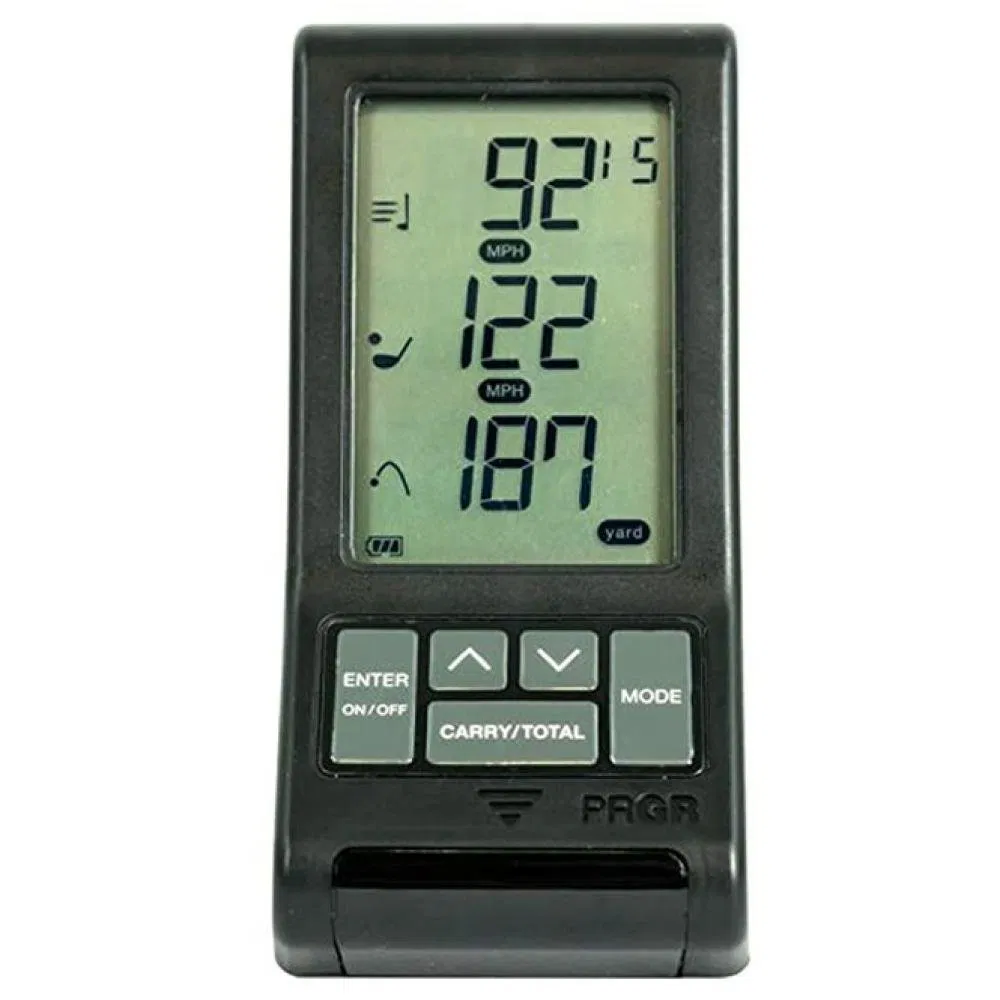
Pocket-sized dual Doppler radar that fits in your golf bag or jacket. Five metrics, 500-shot memory, and no app required. The most portable launch monitor available.
Voice Caddie SC200 Plus
£220
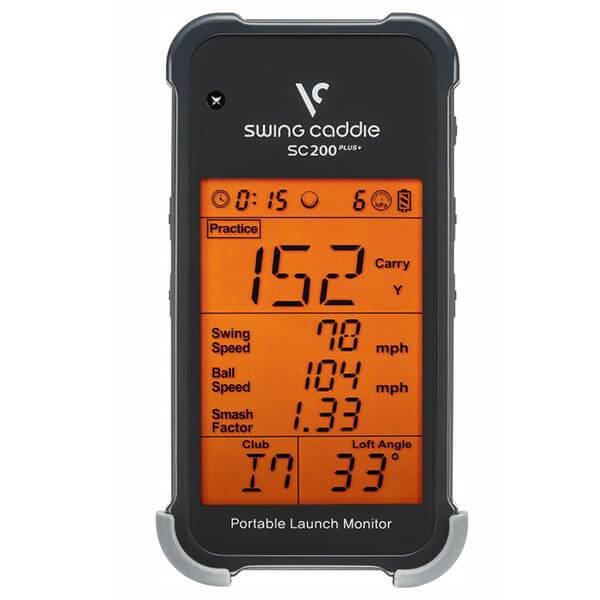
Four metrics, AAA batteries, and no charging cable to forget. The most straightforward launch monitor available for golfers who just want carry distances at the range.
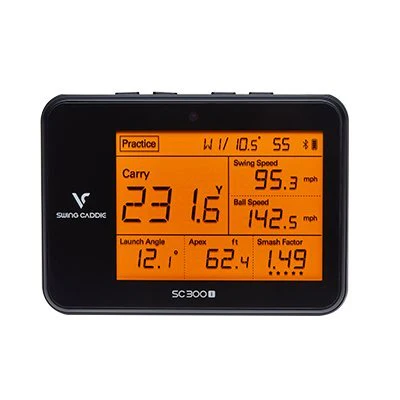
Voice Caddie SC300i
£320
Six key metrics, a 5.3-inch display, and 20 hours of battery life. The most straightforward and reliable launch monitor at this price — without simulator complexity.
Garmin Approach R10
£479
The launch monitor that brought simulator golf into the home. Fourteen metrics, portable radar, and compatibility with every major simulation platform.
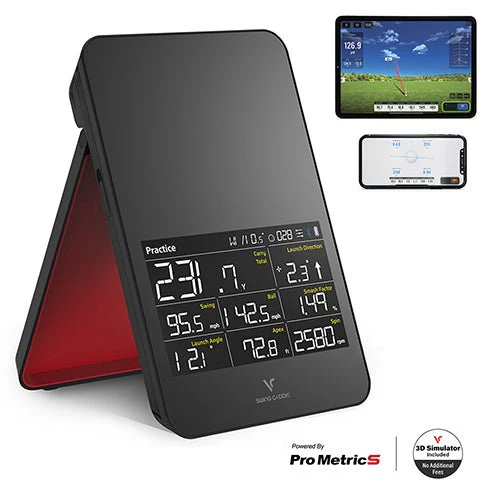
Voice Caddie SC4 Pro
£480
A built-in screen, spin metrics, and E6 simulator compatibility at a price that undercuts most rivals. The most complete entry-level simulator package available.
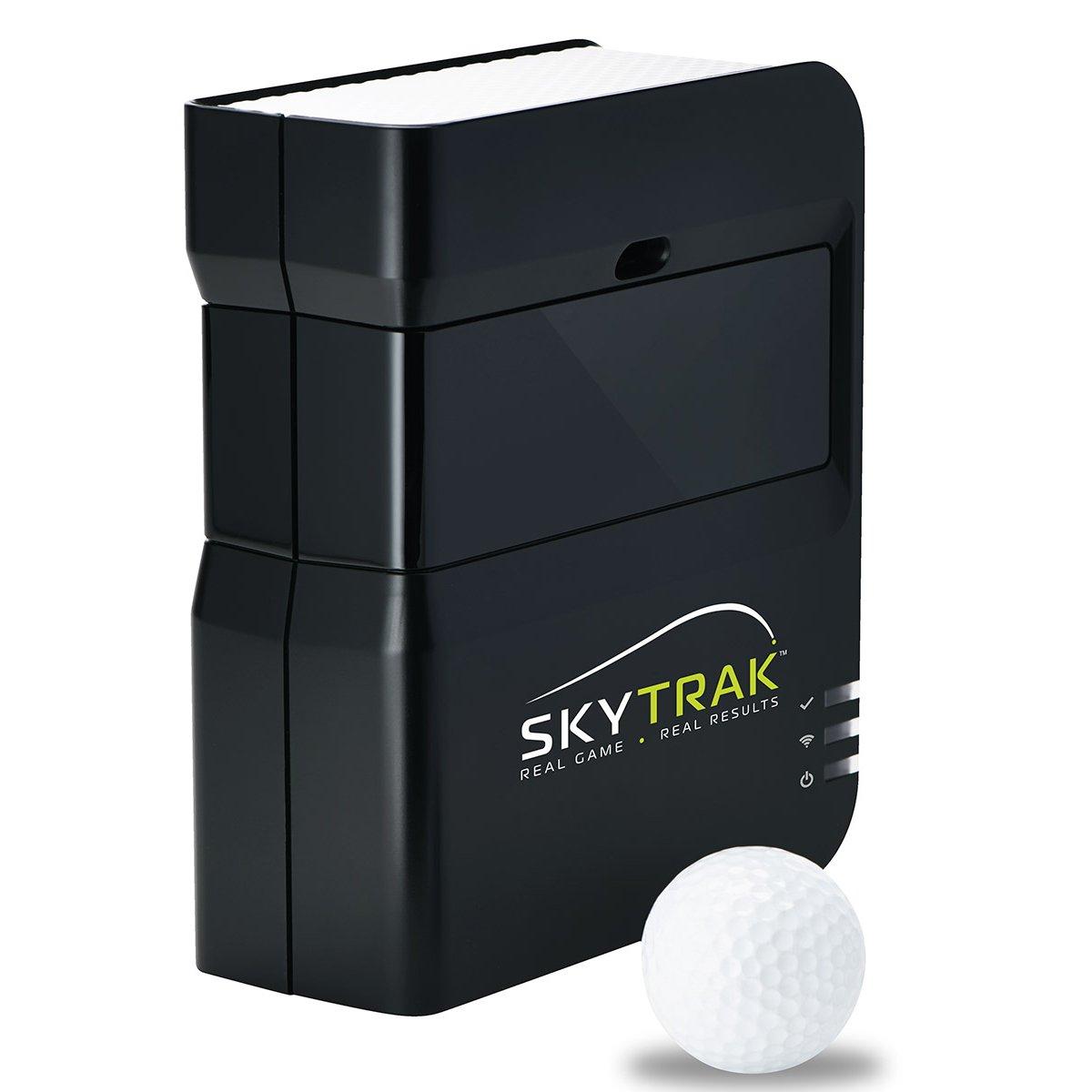
SkyTrak
£495
Photometric camera accuracy at a price that makes it one of the most accessible serious launch monitors available. Compact, WiFi-connected, and built for indoor use.
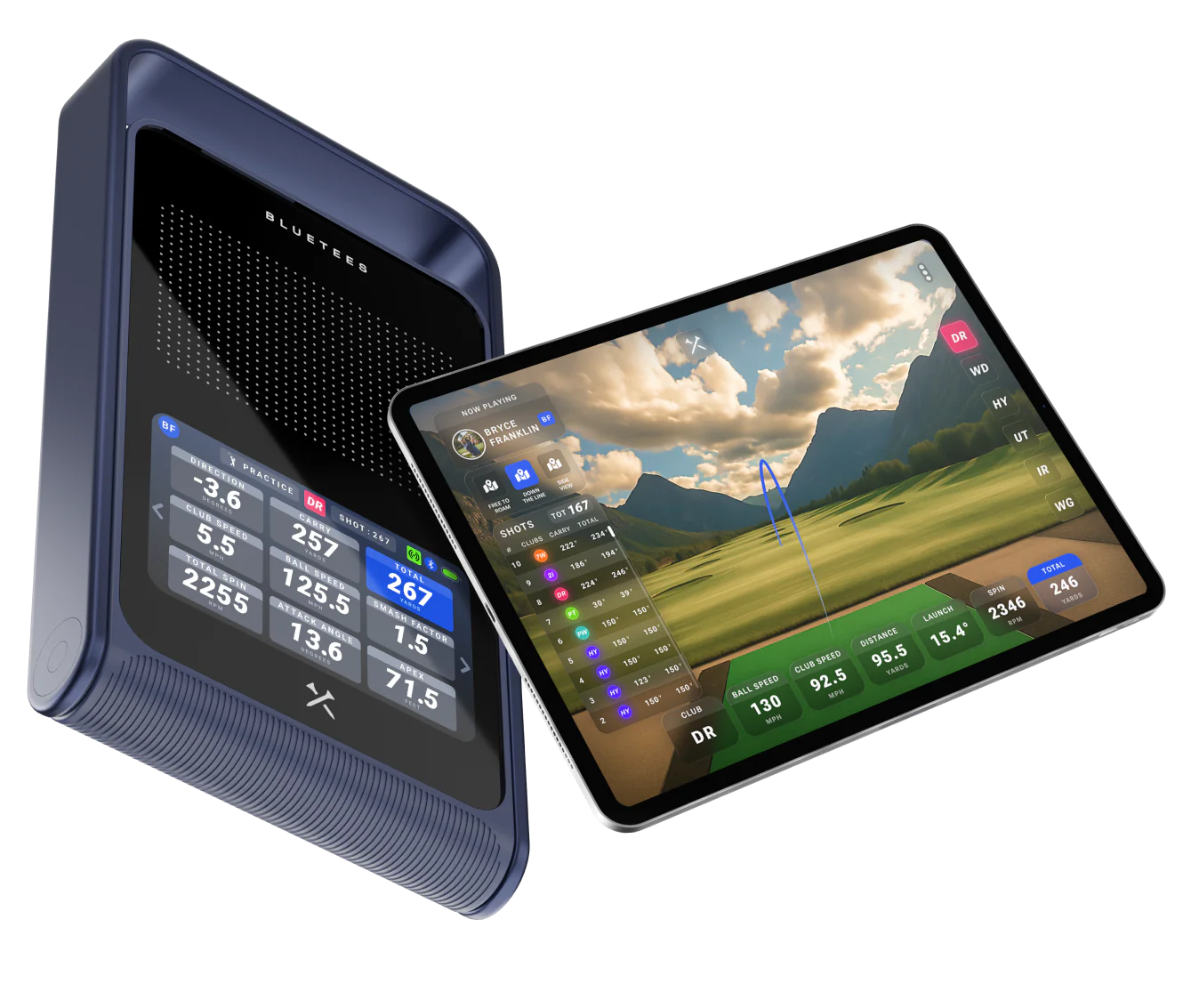
Blue Tees Rainmaker
£599.99
Blue Tees' first launch monitor. 20-plus metrics, E6 and GSPro compatible, waterproof, and a 4.3-inch display with detachable magnetic remote. On pre-order — not yet available to buy.
Rapsodo MLM2PRO
£649
Dual camera and radar combined for the most complete data picture available under £700. Spin rate, impact vision, and 30,000+ courses — with some important small print to understand before buying.
FlightScope Mevo Gen2
£1,199
Fusion tracking, 20 measured parameters, and 8 iconic courses included with no ongoing subscription. The most capable no-subscription launch monitor on the market.
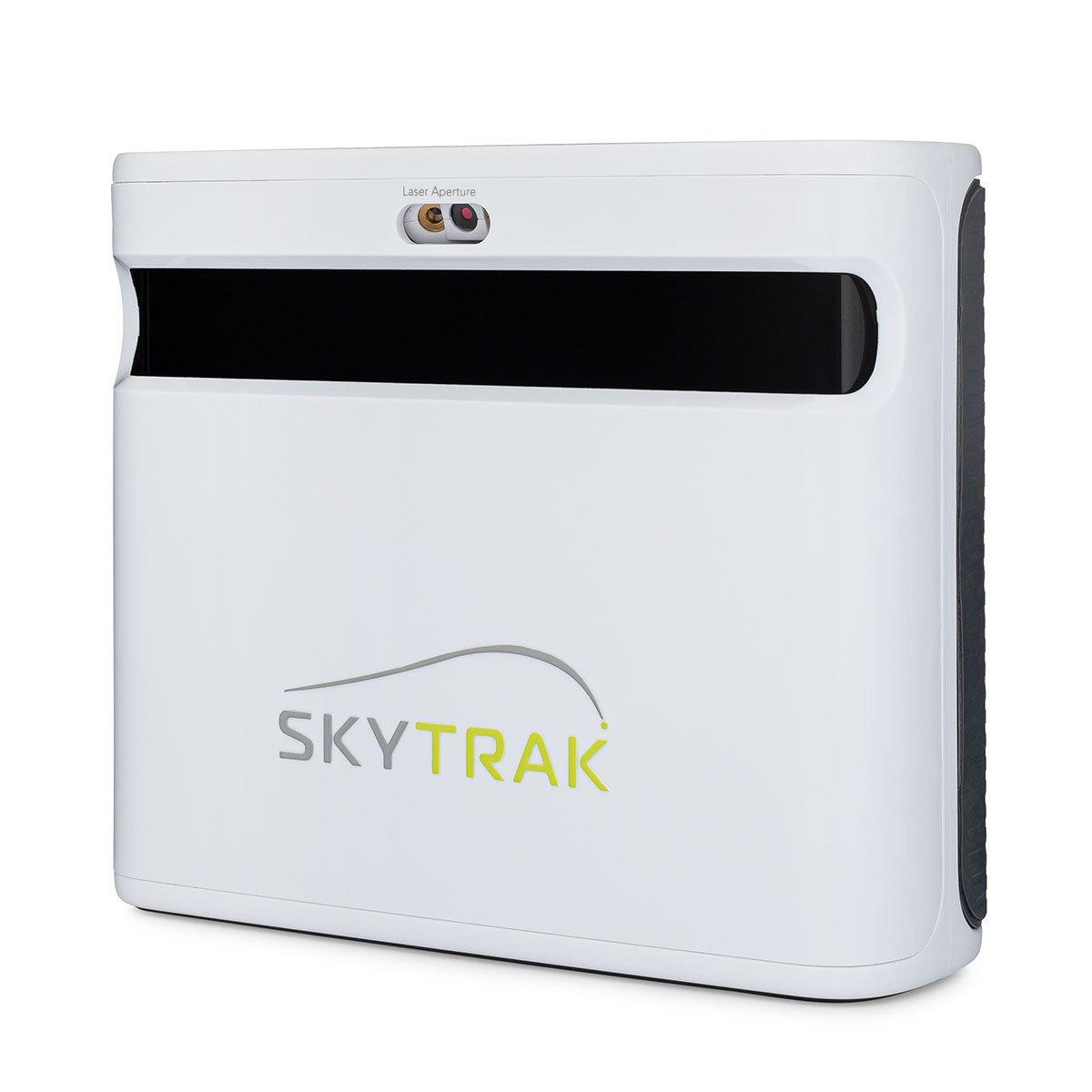
SkyTrak+
£1,695
Dual Doppler radar combined with an enhanced photometric camera and machine learning. Club data, ball data, and 21 metrics — indoors and outdoors.
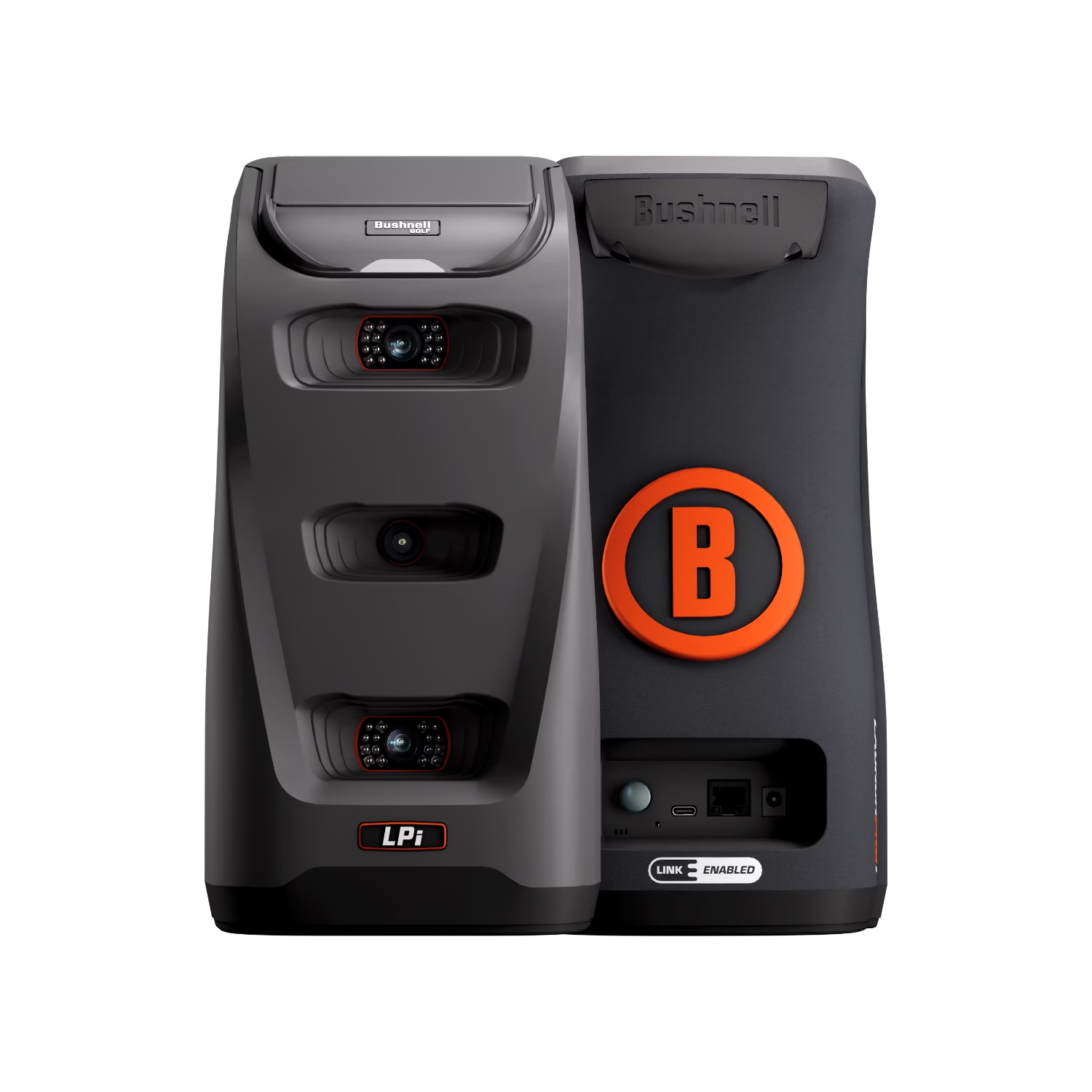
Bushnell Launch Pro Indoor
£1,890
The same tour-level three-camera photometric accuracy as the Launch Pro, at a lower price point. Designed specifically for permanent indoor simulator installations.
SkyTrak ST MAX
£2,495
The current SkyTrak flagship. Dual Doppler radar, photometric camera, GOLFTEC speed training, and dual USB-C ports. Tour-level accuracy for serious home simulator builds.
Bushnell Launch Pro
£2,790
Three high-speed cameras plus infrared for tour-level ball data accuracy. Camera-based measurement that sees impact directly — no radar estimation.
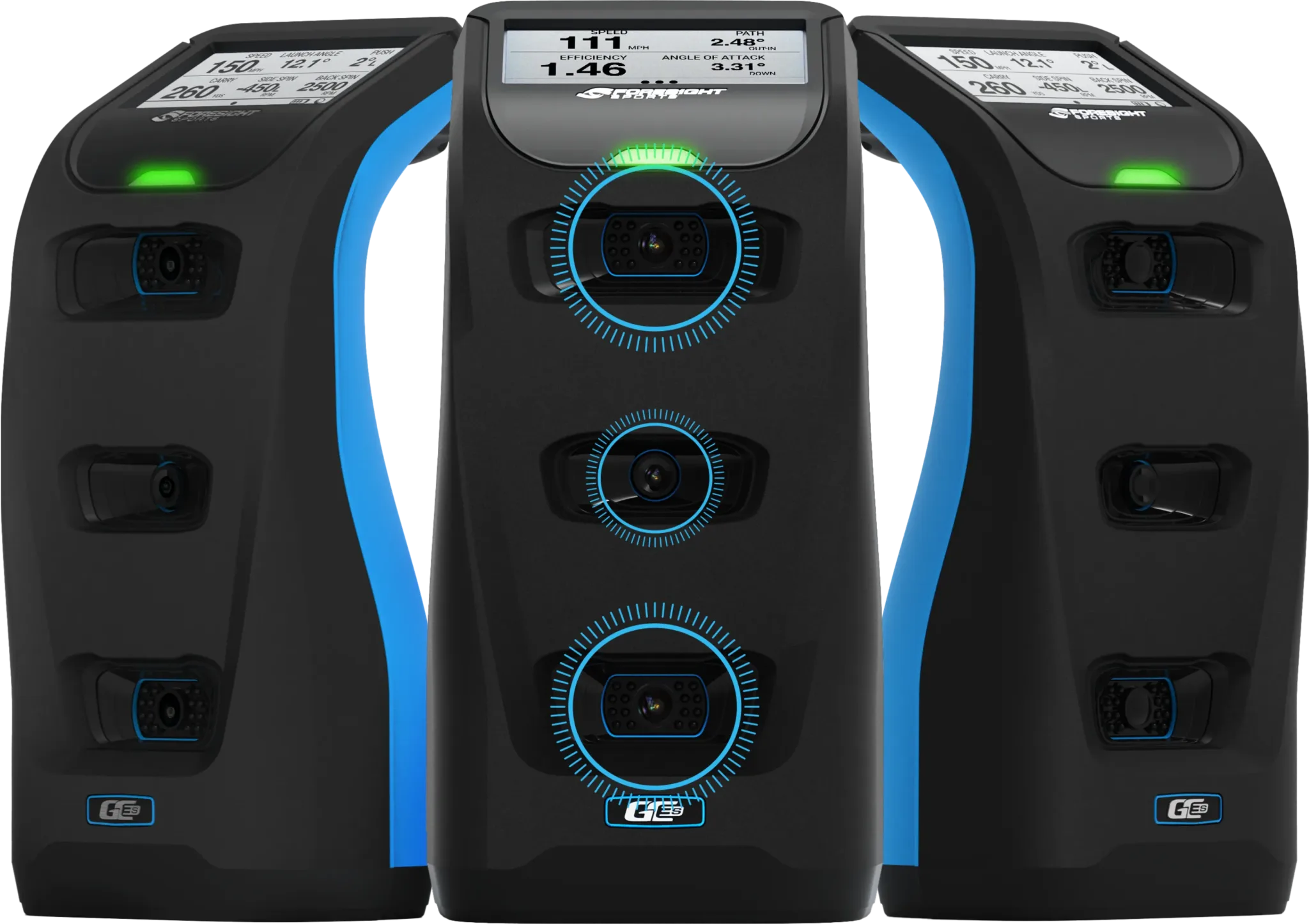
Foresight GC3S
Enquire for price
Three-camera photometric tracking that directly measures ball speed, spin, launch angle, and club data at impact. The most accurate portable launch monitor available for a UK home simulator build — on an annual subscription model.
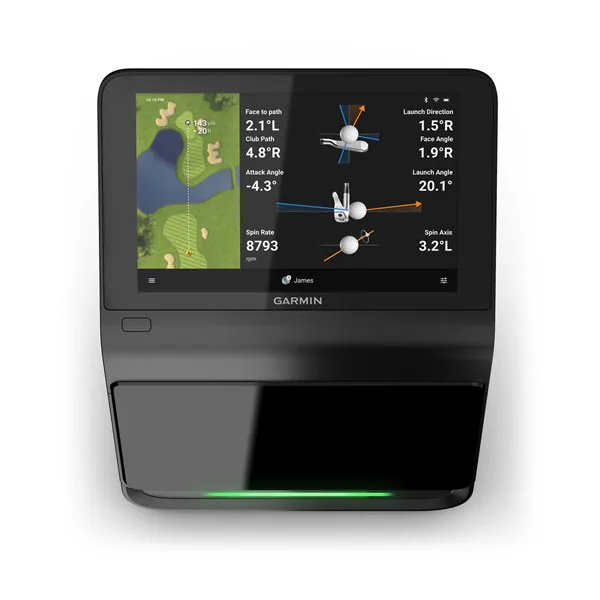
Garmin Approach R50
£4,299
Garmin's all-in-one premium golf simulator. A built-in 10-inch touchscreen, three high-speed cameras, and 43,000 courses built in. This is a home simulator, not a portable launch monitor.
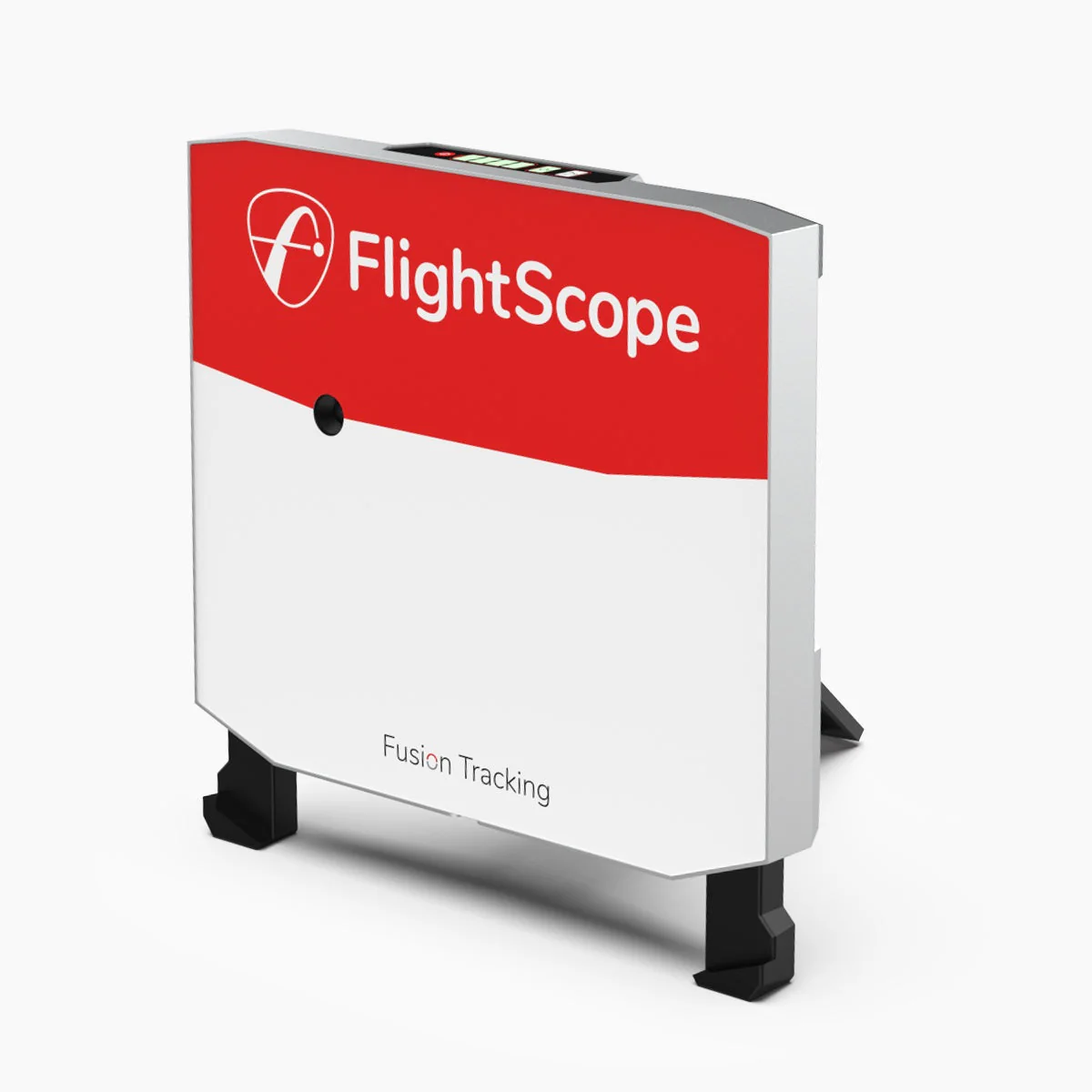
FlightScope X3
£9,600
Professional-grade Fusion Tracking with 50 data parameters, full ball flight tracking from impact to landing, and face impact location. Built for coaches, fitters, and the most serious home setups.
Professional grade
The professional tier — TrackMan.
TrackMan products are not consumer purchases. They appear here because they are the honest answer to the question of what the most accurate launch monitors in the world are.
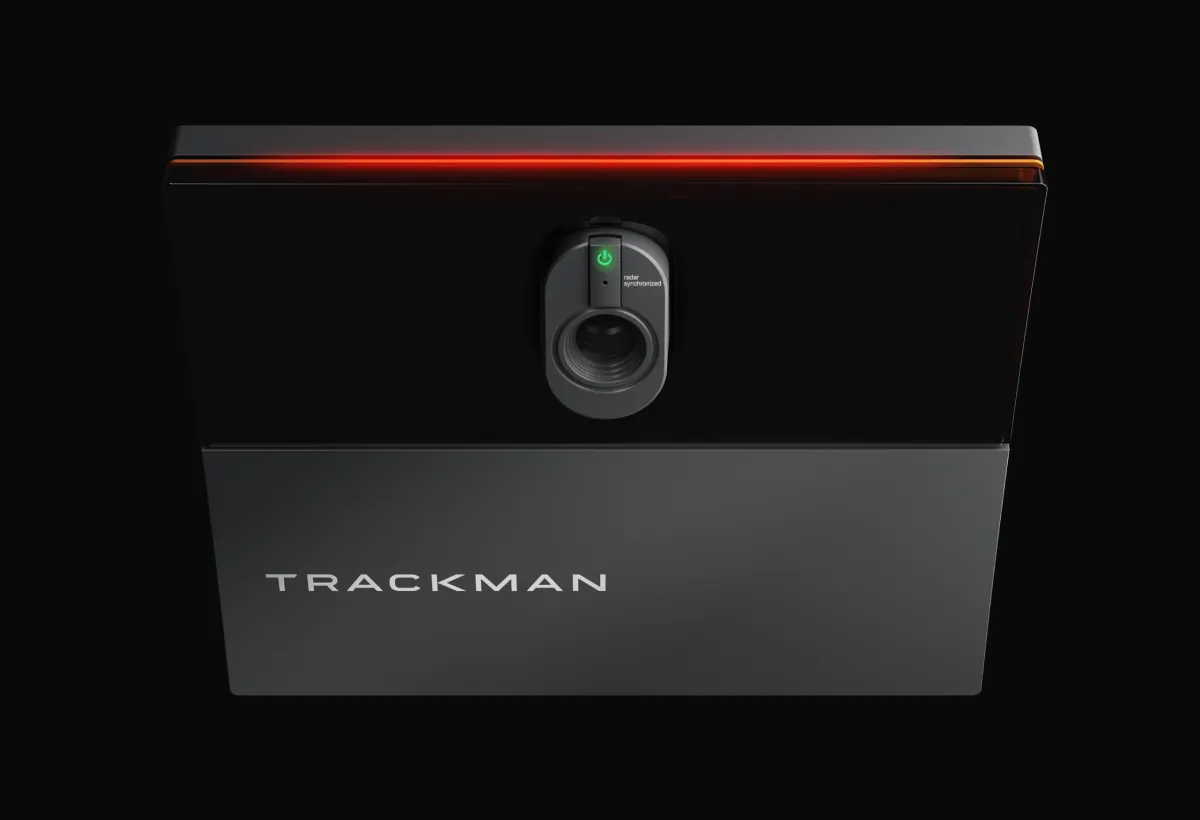
TrackMan iO
From ~£11,000 (iO Home)
Contact an authorised UK dealer for quote. Prices in USD — converted to approximate GBP.
TrackMan's first purpose-built indoor product and their most accessible entry point. Ceiling-mounted — no floor space required, no minimum distance in front of or behind the ball, no additional lighting needed. Radar, infrared, and high-speed camera combined.
What it measures
iO Home (15 parameters): ball speed, launch angle, spin rate, spin axis, hang time, height, curve, landing angle, carry, side, total, smash factor. iO Home Complete (23 parameters): adds full club delivery data including club speed, face angle, club path, face to path, impact height, impact offset, and dynamic loft. High-speed camera up to 4,600fps for directly measured 3D spin and spin axis. No stickers or special balls required.
CEILING-MOUNTED — WHAT THIS MEANS IN PRACTICE
Unlike TrackMan 4 which sits on the floor behind the hitting area, TrackMan iO mounts to the ceiling above. This removes the minimum clearance requirement in front of and behind the ball — it works in a tighter room than a floor-mounted unit requires. No cables on the floor, no repositioning between left and right-handed players, and a significantly cleaner bay. The trade-off is that it cannot be moved to the range. TrackMan iO is a permanent indoor installation only.
Pricing
iO Home: from USD 13,995 (~£11,000) + USD 700/yr software subscription. Private use only. iO Home Complete: from USD 23,495 (~£18,500) + USD 1,100/yr software subscription. Private use only. iO Commercial: from USD 23,495 (~£18,500) + USD 1,100/yr. Commercial use included. Sim Kit (enclosure) from USD 12,995 optional extra. All prices USD — confirm GBP with UK dealer.
Software & subscription
Same software ecosystem as TrackMan 4: TrackMan Performance Studio and Virtual Golf 3 (VG3) — over 500 courses. iO Home: USD 700/yr. Home Complete and Commercial: USD 1,100/yr. First year typically included with purchase. PC required — same spec as TrackMan 4. Mac not supported.
Our view
TrackMan iO is the cheaper entry point into the TrackMan ecosystem, and for a permanent indoor bay it is the more logical choice over the TM4. The ceiling-mounted design is genuinely better for a fixed installation — cleaner, no floor obstructions, ambidextrous without repositioning.
The iO Home at approximately USD 13,995 is TrackMan's most accessible product. It is still a professional instrument at a professional price — the ‘accessible’ is relative to their own range, not to the wider launch monitor market. The Home tier covers 15 ball parameters. For club delivery data, which most serious golfers and all coaches require, the Home Complete tier at USD 23,495 is the relevant option.
The software subscription structure is important to understand before buying. iO Home adds USD 700 per year. Home Complete and Commercial add USD 1,100 per year. Over five years, the software cost alone is USD 3,500 to USD 5,500 on top of the hardware. Build this into the total cost calculation.
For a permanent home studio or commercial facility, the choice between iO and TM4 is straightforward: iO for a fixed indoor bay, TM4 for a setup that also needs to work outdoors or at the range.
- Best for
- Permanent indoor simulator bays — home studios, teaching academies, and commercial facilities where a clean fixed ceiling installation is preferred over a portable floor unit.
- Verdict
- TrackMan's entry point and the right choice for a permanent indoor bay. iO Home Complete is the tier most serious buyers need — Home alone covers ball data only. Confirm UK pricing with an authorised dealer.
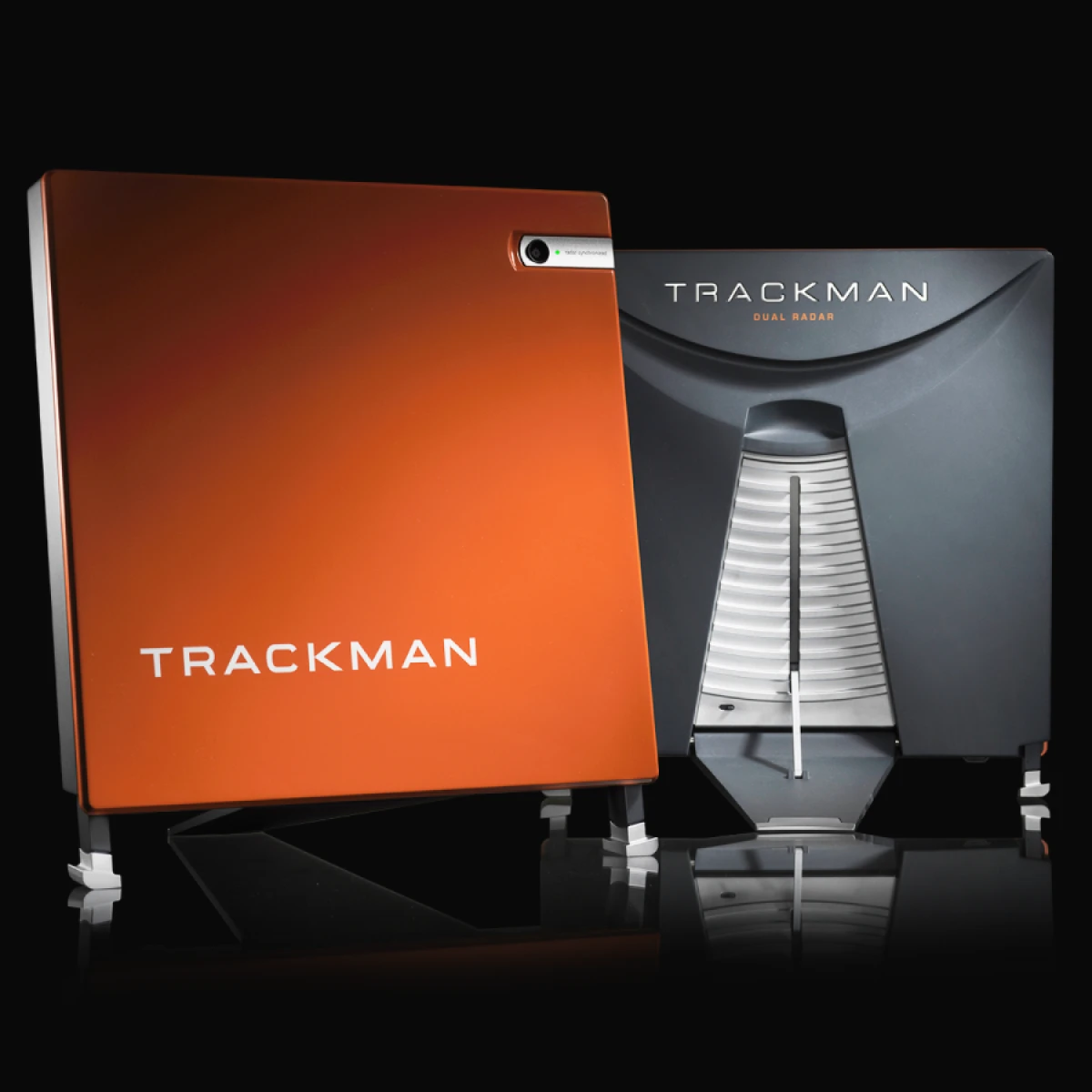
TrackMan 4
From ~£20,000 (Indoor-Outdoor)
Contact an authorised UK dealer for quote. Prices in USD — converted to approximate GBP.
The benchmark against which every other launch monitor in this guide is judged. Dual radar plus Optically Enhanced Radar Tracking measures real ball flight rather than estimating it. Used by over 1,000 Tour professionals — who buy their own rather than receiving them free.
What it measures
40-plus parameters across full ball data (ball speed, launch angle, spin rate, spin axis, hang time, height, curve, landing angle, carry, side, total, smash factor), complete club delivery data (club speed, attack angle, dynamic loft, club path, face angle, face to path, spin loft, swing plane, low point, impact height and offset, dynamic lie), and putting data (stroke length, backswing and forward swing time, tempo, dynamic lie, attack angle, club path, face angle, face to path). OERT directly measures impact location on the clubface without stickers or special balls. Tracks full ball flight from impact to landing outdoors — not a short-flight extrapolation model.
WHY TRACKMAN IS DIFFERENT
Most launch monitors observe ball flight for a fraction of a second and extrapolate the rest. TrackMan's dual radar tracks the complete ball flight — typically six seconds from impact to landing outdoors. On shots with unusual spin or trajectory, cheaper monitors extrapolate incorrectly. TrackMan measures. Every other monitor in this guide is benchmarked against TrackMan data — including by manufacturers who use it to validate their own accuracy claims.
Setup requirements
Outdoor: Minimum 6ft behind the ball, optimal 7ft. Indoor: Minimum 4.7m from monitor to net. Ceiling minimum 9ft, optimal 11ft. Indoor Lighting Kit strongly recommended indoors — without it, impact location data is unreliable. The unit is portable — same device works at the range and at home.
Pricing
Indoor-Outdoor: USD 25,495 (~£20,000) + USD 1,100/yr software subscription. For private or commercial use. Commercial: get a quote from dealer. All prices USD — confirm GBP with UK dealer. No Indoor-only licence shown on current pricing — contact dealer for options.
Software & subscription
TrackMan Performance Studio (TPS) is the coaching and analysis software. Virtual Golf 3 (VG3) is the simulator platform — over 500 courses, ultra-realistic graphics. Annual software subscription USD 1,100/yr. First year typically included with purchase. Supports PC only — Mac not currently supported. Requires Windows 11, Intel i7, 32GB RAM, Nvidia RTX 4070ti minimum for VG3.
Our view
TrackMan 4 is not a product for most golfers and presenting it as one would be dishonest. At approximately USD 25,495 before enclosure, screen, and annual software costs, it is a professional instrument priced accordingly.
The reason it appears in this guide is that it is the honest answer to the question: what is the most accurate portable launch monitor available? Every other device in this guide is benchmarked against it. This is the reference point, not one option among many.
The key distinction versus TrackMan iO is portability. TrackMan 4 can be taken to the range, used outdoors for fitting days, or moved between locations. If the monitor needs to work both as a permanent indoor simulator and as a portable range and outdoor fitting tool, TM4 is the correct answer. If it will never leave a fixed indoor bay, the iO is the more logical and more affordable choice.
The annual software subscription of USD 1,100 is a real ongoing cost — approximately £870 per year. The hardware also requires a capable PC: Windows 11, Intel i7, 32GB RAM, Nvidia RTX 4070ti minimum for VG3 simulator software. Mac is not supported. Build both into the total cost calculation before committing.
- Best for
- Coaching studios and fitting bays that need both indoor simulator capability and outdoor portability. Golfers who want to use the same device at home and at the range. The reference standard for accuracy.
- Verdict
- The gold standard for portable professional launch monitors. Significantly more expensive than TrackMan iO and justified only when outdoor portability is genuinely needed. If the unit stays indoors, TrackMan iO is the more logical choice at lower cost.
About this guide
Independent, reader-supported, UK-focused.
TopSold Golf is independently owned and reader-supported. Our buying guides synthesise independent expert reviews, verified UK buyer feedback, and live retailer pricing, refreshed at the date shown above. We never accept payment for placement, and verdicts are unaffected by affiliate revenue.
How we rank
How rankings are calculated.
Rankings aggregate independent expert reviews and verified UK buyer ratings across five weighted criteria: accuracy, ease of setup, data depth, software ecosystem, and value. Each product's aggregated rating is normalised against the field within its sub-category and refreshed when new reviews or pricing data become available.
FAQ
Common questions about golf launch monitors.
- What is a launch monitor and do I actually need one?
- A launch monitor measures the data from each golf shot: ball speed, launch angle, spin rate, carry distance, and club path. Shot Scope data from over 74 million shots shows that scoring improvements come primarily from better decision-making, and better decisions start with knowing your actual distances. If you estimate how far you hit each club rather than knowing precisely, a launch monitor removes that guesswork and gives you a reliable foundation for improvement.
- What is the difference between radar and photometric launch monitors?
- Radar monitors use radio waves to track ball velocity and direction, working well in both indoor and outdoor conditions. Photometric monitors use high-speed cameras to photograph the ball at the moment of impact, directly observing what happens rather than inferring from ball flight. Photometric systems are generally more accurate for spin data. Fusion systems combine both technologies for comprehensive club and ball data in a single device.
- Do I need a subscription to use a launch monitor?
- It depends on the device. Some monitors, including the Shot Scope LM1, PRGR, Voice Caddie SC200 Plus, and FlightScope Mevo Gen2, require no subscription at all. Others are usable for free but require a paid membership for simulator access. The Bushnell Launch Pro and Bushnell Launch Pro Indoor require a paid subscription to unlock club data. Always calculate the total cost of ownership including subscriptions before comparing prices across devices.
- Can I use a launch monitor outdoors on a real golf course?
- Most launch monitors are designed for range practice, not on-course play. Using a launch monitor during a competitive round is not permitted under the Rules of Golf. For outdoor range work, radar monitors work well in most UK weather conditions. Photometric monitors perform best indoors or in consistent light. For portability to the range, the PRGR and Shot Scope LM1 are among the lightest and simplest to carry.
- What is the best golf launch monitor for under £500 in the UK?
- The two strongest options under £500 are the Shot Scope LM1 at £199.99 and the Garmin Approach R10 at £479. The LM1 is the better choice for range-focused golfers who want a built-in screen and zero subscription cost. The R10 is better for golfers who want 14 metrics and simulator access. The Voice Caddie SC4 Pro at around £480 is a strong option if you specifically want a built-in screen with E6 simulator capability included.
Also in this series
Looking for precision yardages on the course? Our rangefinders buying guide covers every major laser rangefinder available in the UK, from the Shot Scope Pro L5 at £169 to the Garmin Approach Z82 hybrid, with the same independent analysis.
Want course data on your wrist during the round? Our GPS watches buying guide covers every major model available in the UK, from the Shot Scope G6 at £80 to the Garmin Approach S70 flagship, with handicap-tier recommendations throughout.