Quick answer
The cheapest complete setup is around £900 — a Garmin R10 (£479), a hitting net (£150), and a hitting mat (£200), using your phone or tablet for display. A proper enclosure with impact screen and projector starts at around £2,499 as a bundle. A mid-range dedicated studio costs £4,000 to £8,000. Measure your available space before reading anything else — ceiling height, room depth, and width determine what is possible more than budget does. Start with step one →
Why it matters
Why a home simulator changes how you practise.
The UK golf season has a natural ceiling. Wet winters, short days, and unplayable courses mean most club golfers lose three to four months of meaningful practice every year. A home simulator removes that ceiling entirely. You hit real shots with real data, play virtual rounds on famous courses, and keep your swing sharp through the months when the course is either shut or uninviting.
The economics have also shifted. Five years ago a home simulator meant questionable accuracy and a flimsy net. In 2026, a setup under £2,500 delivers accurate ball data, a proper impact screen, and access to 200,000-plus virtual courses via GSPro. The experience is genuinely compelling at price points that were not possible before.
The most important thing to understand before buying: a home simulator is not a single product. It is four components that need to work together. This guide walks through each one in order — what it does, what to look for, and what to buy at three budget tiers.

The five decisions
Five decisions before you buy a single component.
What space do you actually have? Measure before reading reviews.
Space determines everything and it will eliminate options faster than budget will. You need a minimum of 2.7 metres of ceiling height to swing a driver without risk — 3 metres is comfortable for most golfers. Room depth needs to be at least 4.5 metres for a radar launch monitor setup, or 3.5 metres for a camera-based monitor. Room width needs at least 3 metres for safe swing clearance on both sides.
Take a tape measure to your intended garage, spare room, or loft space now. Not approximately — exactly. Every component recommendation in this guide assumes you know your available dimensions.
Net only or full enclosure with projector?
A net setup — hitting net plus launch monitor plus phone or tablet — is the minimum viable simulator. It costs significantly less and works in smaller spaces. You get accurate shot data and can play virtual golf on your device screen. A full enclosure with impact screen and projector is a different experience: virtual courses projected life-size, a proper golf bay, and contained missed shots.
The enclosure setup costs more and needs more space. If you are unsure how often you will use a simulator, start with a net. You can always upgrade to a full enclosure once you know the habit will stick.
Which launch monitor?
The launch monitor is the most important component. For indoor use, camera-based monitors (SkyTrak+, Foresight GC3S) sit beside the ball and work brilliantly in rooms as shallow as 3.5 metres. Radar monitors (FlightScope Mevo Gen2, Garmin R10) need to sit behind the ball and require more room depth — typically 4.5 metres or more.
See our complete Launch Monitors guide for every product compared in detail. View the Launch Monitors guide →
What is your real total budget including software?
The launch monitor and enclosure headline the cost, but the full build also includes a projector (£400–£1,500), a quality hitting mat (£150–£600), and simulator software (GSPro is around £200 per year, E6 Connect varies). If you plan to run GSPro, you also need a Windows PC or gaming laptop.
Add 30 per cent to whatever launch monitor plus enclosure cost you have in mind to arrive at your realistic total. The Build by Budget section below gives itemised component lists at three price tiers.
Buy a bundle or build component by component?
A bundle from a UK specialist like OpenGolfer guarantees that every component works together, typically saves 10 to 20 per cent against buying separately, and comes with setup support. The downside is less flexibility.
Building component by component lets you optimise each part — better mat, better projector, specific launch monitor — but requires research time and carries compatibility risk. For first-time buyers, a bundle is the safer choice. This guide covers both approaches.
Step by step
Building your simulator: step by step.
Work through each step in order. Each decision depends on the one before it.
The launch monitor
The launch monitor is the brain of the system. It measures your shot and feeds data to the software. This is where the majority of your budget should go — a better launch monitor delivers better data and better indoor accuracy. Do not save here to spend on the enclosure.
Key considerations: Camera-based vs radar (see space requirements above), indoor spin accuracy, simulator software compatibility, room depth requirements, and whether a subscription is required for the features you want.
Our picks by budget
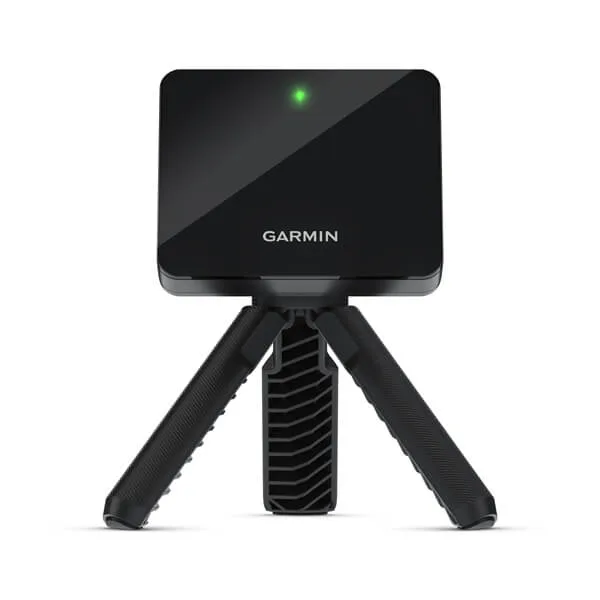
Twelve metrics, Home Tee Hero on 43,000 courses, E6 and GSPro compatible. Factor in the Garmin Golf membership cost. Works well outdoors, solid indoors with proper setup. Requires 4.5m+ room depth.
View on Amazon →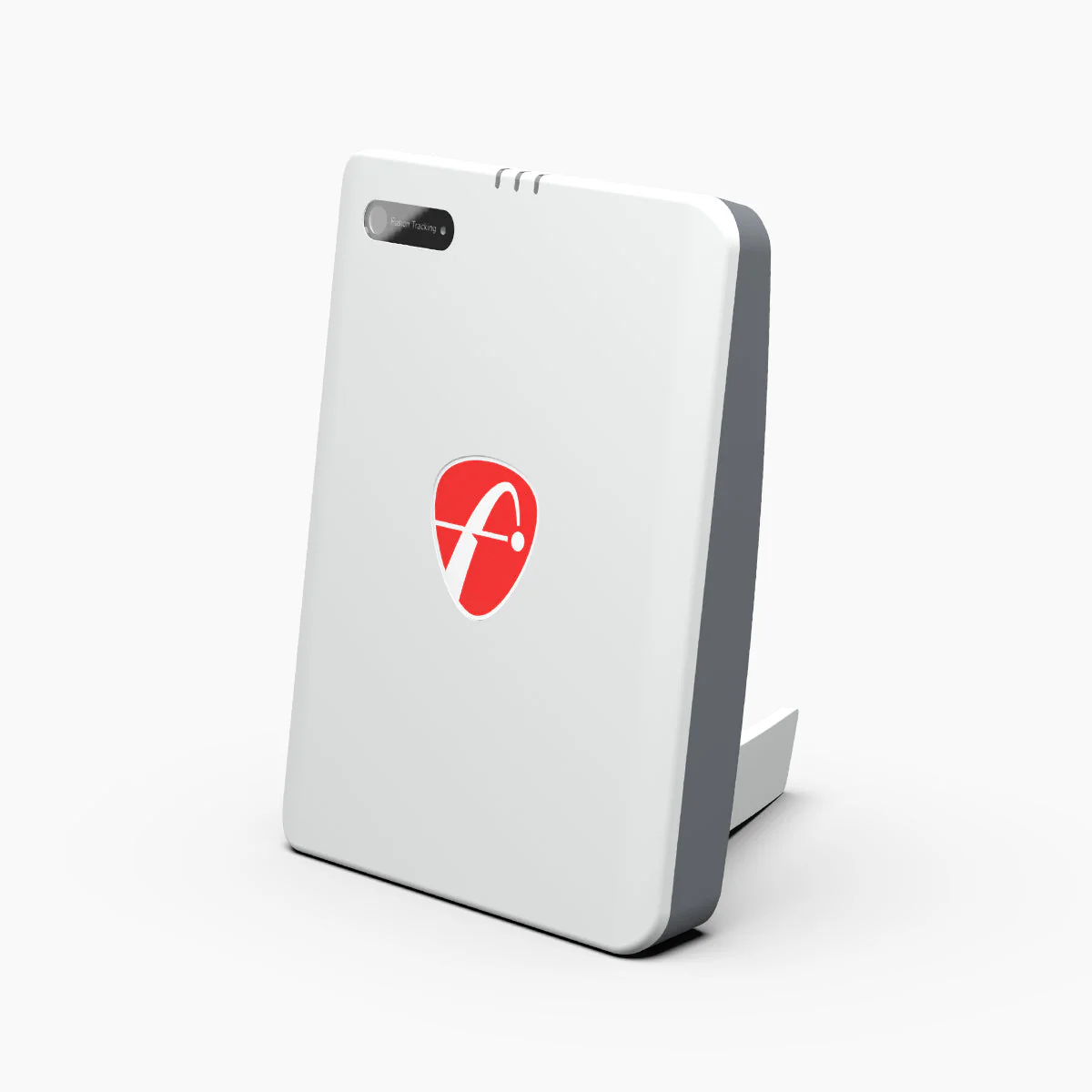
The strongest no-subscription option. 20 directly measured parameters, 8 E6 courses included at purchase, GSPro and E6 compatible with no ongoing licence cost. Needs 4.5m+ room depth.
View on Amazon →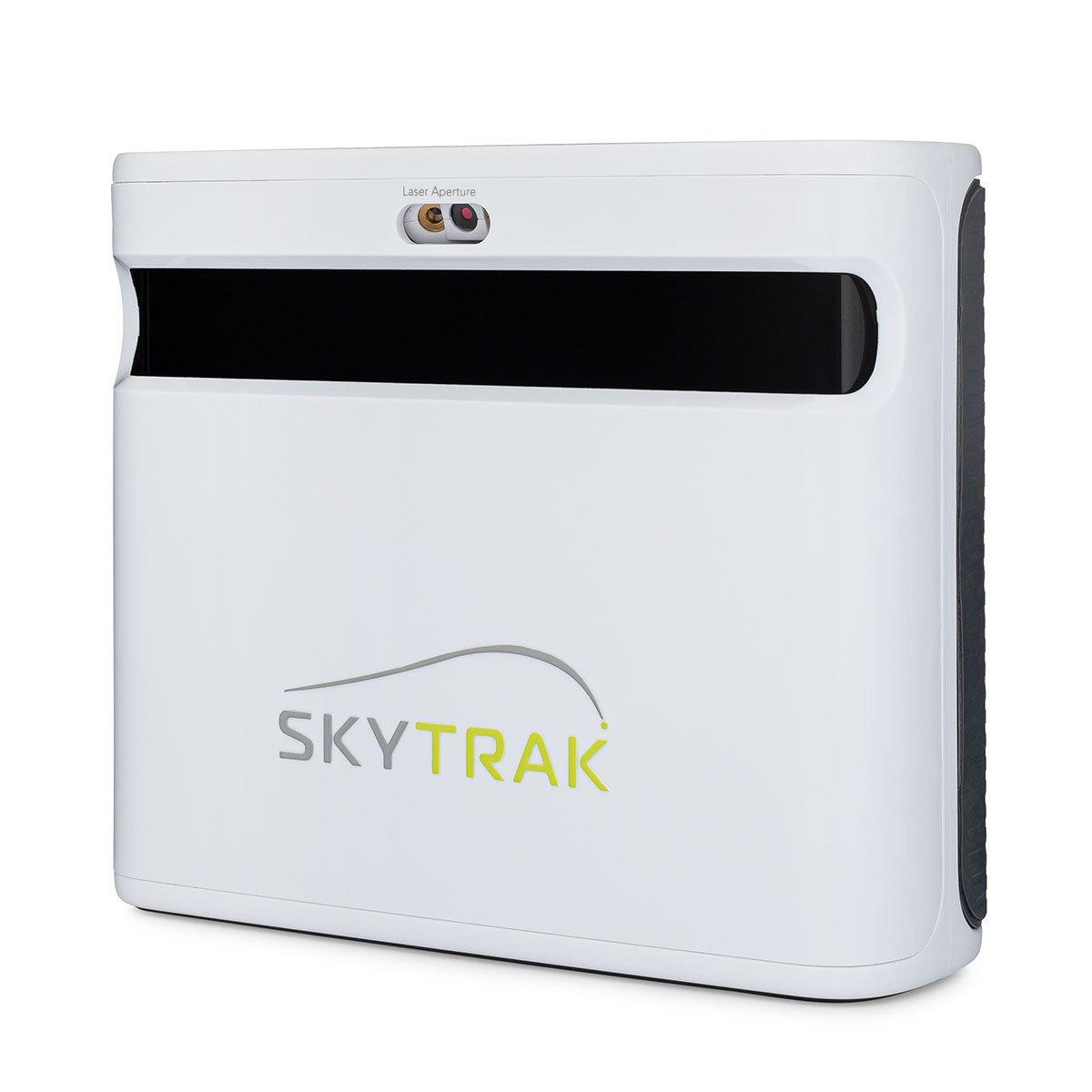
Camera-based, sits beside the ball, works in rooms from 3.5m deep. Reliable indoor accuracy. Course play subscription required for access to larger course libraries.
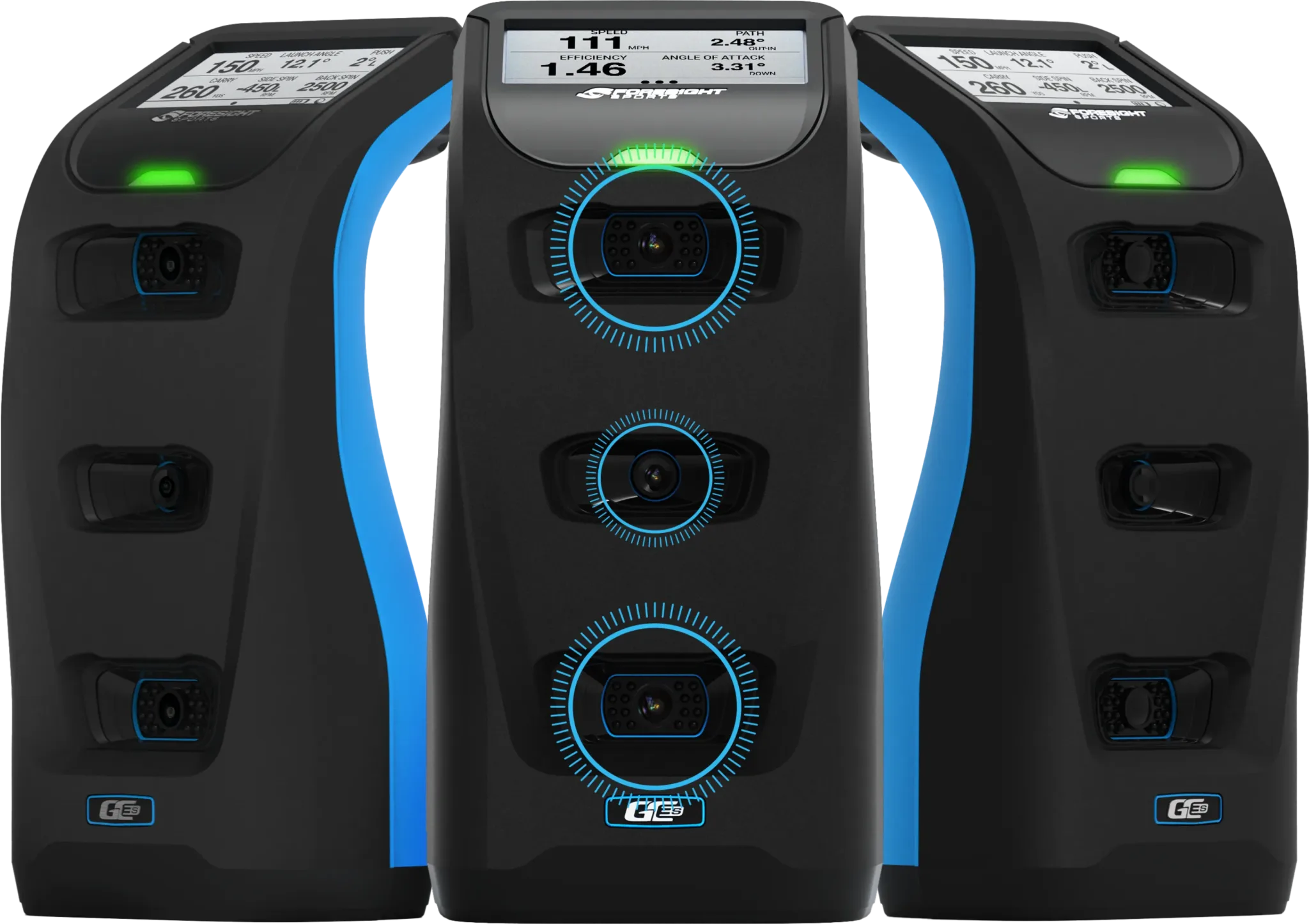
Three-camera photometric accuracy, compact, no ball stickers needed, works from 3.5m depth. The premium choice for a permanent room.
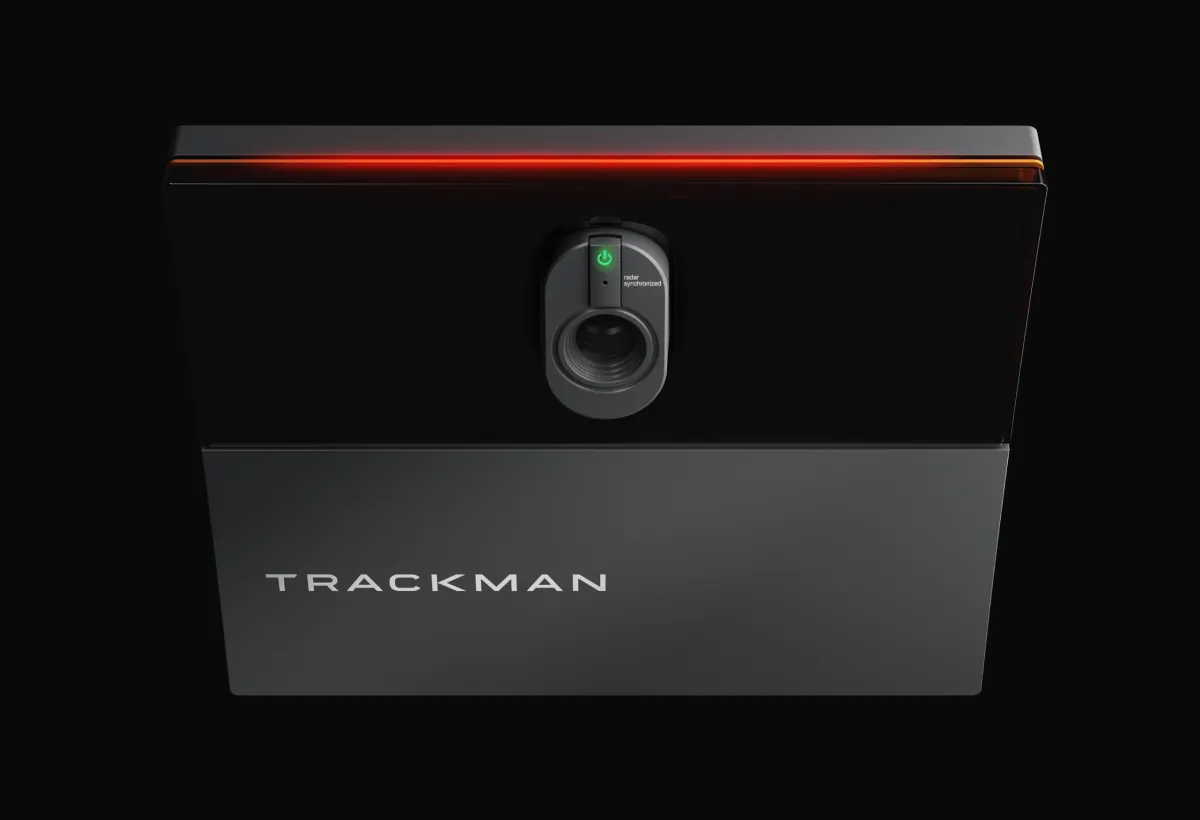
TrackMan is the benchmark every other launch monitor in this guide is measured against. Two options for simulator builds: TrackMan iO is ceiling-mounted, requires no minimum floor clearance, and works in tighter spaces — from USD 13,995 (~£11,000) with iO Home. TrackMan 4 is portable and works indoors and outdoors — USD 25,495 (~£20,000). Both run Virtual Golf 3 with 500-plus courses. Annual software subscription USD 700–1,100/year. Contact an authorised UK dealer for current pricing.
Net or enclosure?
Your screen setup is what you hit into. The right choice depends on your budget and how immersive you want the experience to be.
Option A — Hitting net (budget)
A quality hitting net costs £100 to £300 and provides containment without projection. You play your virtual round on a phone or tablet placed nearby. The Rukket Haack net is widely regarded as the best value hitting net available — sturdy construction, 3 metres wide, straightforward setup.
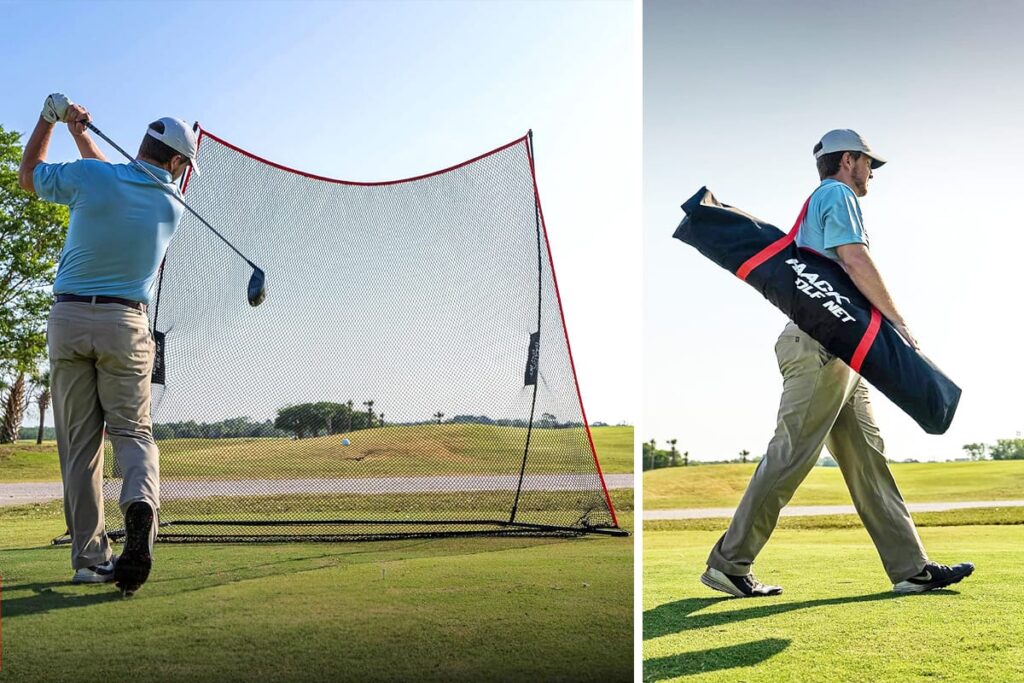
- Rukket Haack Golf Net— approx £150–200. Best value net, 3m wide, sturdy frame.
- Budget impact screen— approx £100–200. Hang from a wall or frame and add a short-throw projector for the cheapest projected setup.
Option B — Full enclosure with impact screen
A proper steel-frame enclosure with triple-layer impact screen is the right choice for a permanent setup. OpenGolfer stocks the SimSpace range — UK-manufactured, premium velour-lined interior, six sizes from 2.5m to 4.5m wide. Prices from approximately £800 to £2,000 for the enclosure alone.
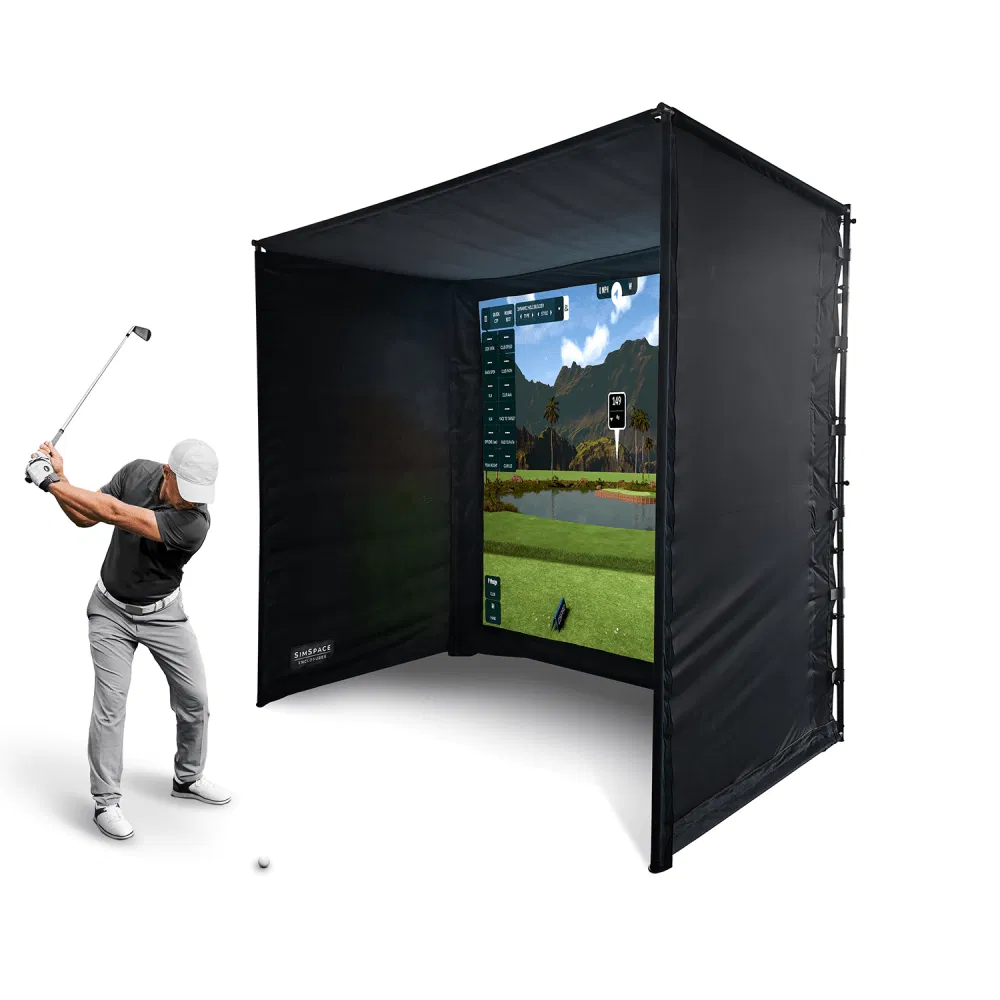
- SimSpace Enclosure via OpenGolfer— from approx £800. UK-manufactured steel frame, triple-layer impact screen, six sizes.
The hitting mat
The mat matters more than most guides admit. A poor quality mat absorbs none of the impact energy when you catch the ground, which means real risk of wrist and elbow injury over time. A quality mat with proper cushioning protects your joints and gives you honest feedback on fat shots. Do not put a £100 mat in a £3,000 simulator.
Our picks by budget
- Budget nylon mat— £100–200
Rubber or foam backing, nylon turf surface. Adequate for occasional use. Look for at least 12mm backing depth.
- TrueStrike Single Golf Mat— £350–450
UK-based brand. Silicone gel subsurface simulates genuine divot action — the club travels through the mat as it would through real turf. Replaceable hitting strip extends the mat's life significantly. The mid-range recommendation.
- Fiberbuilt Player Preferred— £500–800
Commercial and home simulator standard. Proprietary Fiberbuilt Grass technology, designed for permanent installations. Ships from the US — factor in duty and delivery.
The projector (full enclosure setups only)
If you are using a full enclosure and impact screen, you need a short-throw projector. A standard long-throw projector cannot produce a usable image at the distances available in a home simulator bay. Short-throw projectors use a throw ratio of 0.7 to 1.2, meaning they can project a 2.5-metre wide image from about 2 metres away.
What to look for: Throw ratio 0.7–1.2 for most bays. Minimum 3,000 lumens for a well-lit room, 2,500 in a darkened room. 1080p is sufficient; 4K is noticeably better for a dedicated room. Laser lamp preferred for longevity — no bulb replacement.
Our picks by budget
- Budget short-throw— £300–500
1080p, adequate brightness for a reasonably dark room. Suitable for occasional use or a first enclosure setup.
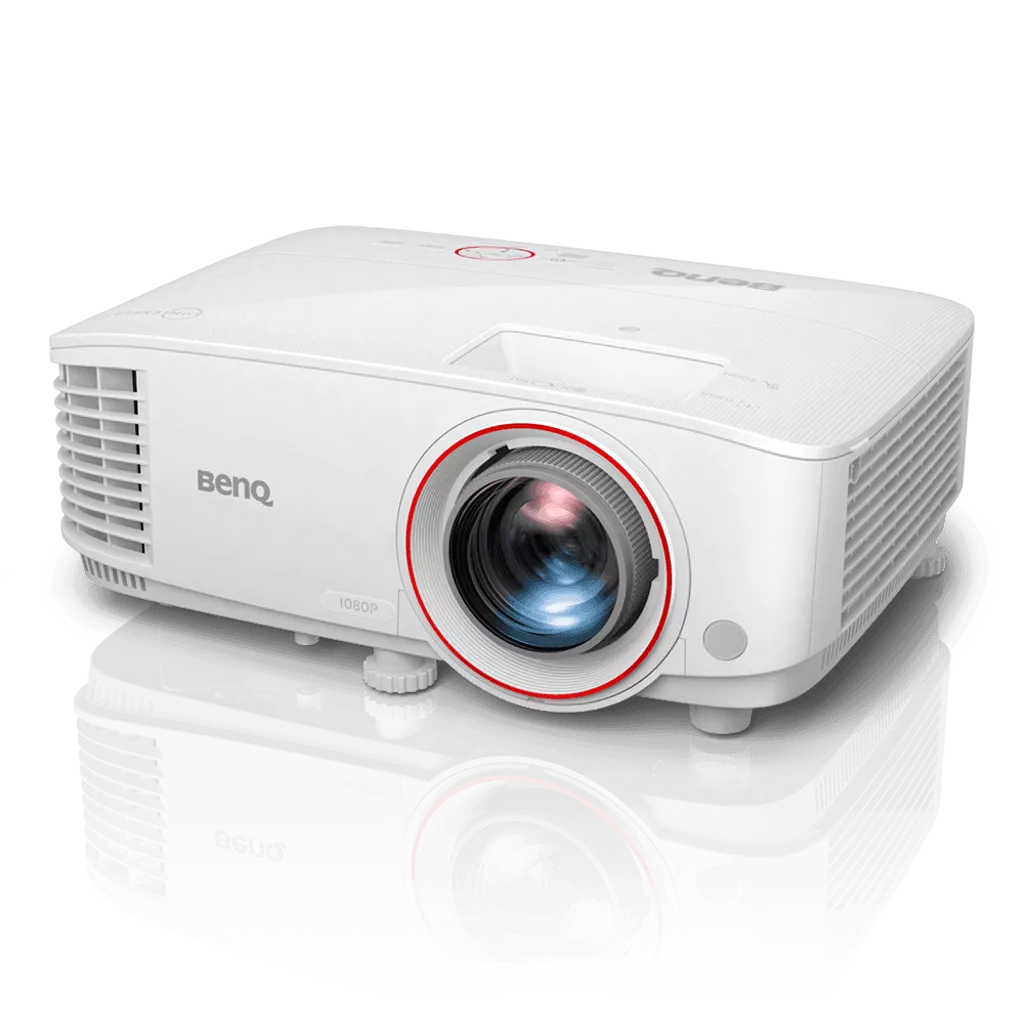 BenQ TH671ST— £700–800
The community standard projector. 3,000 lumens, 1080p, 0.69–0.83 throw ratio. Available on Amazon UK. The default recommendation for mid-range builds.
View on Amazon →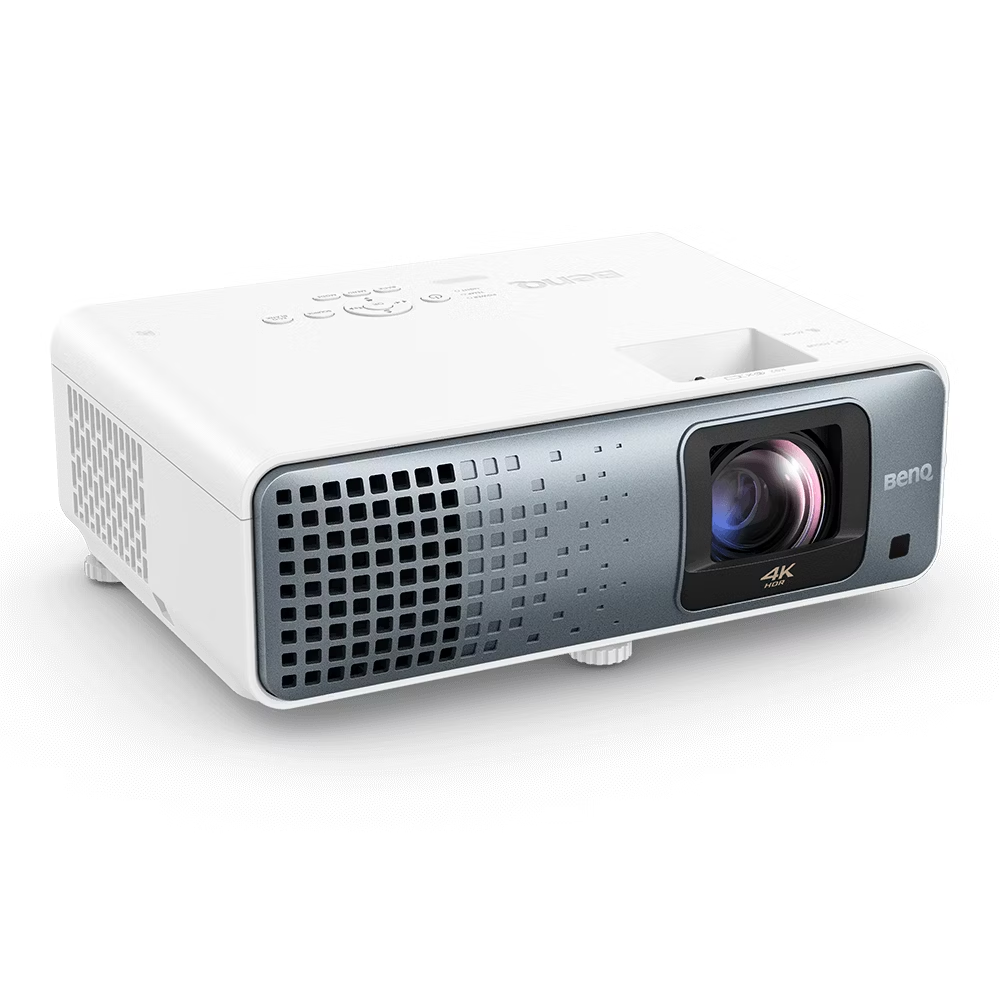 BenQ TK710STi— £1,200–1,500
4K, laser lamp, the current community standard for a serious dedicated room build. No bulb replacement, significantly better image quality.
Simulator software
The software is what you actually play on. It determines course quality, graphics, and how your shot data is displayed. Check that your chosen launch monitor is compatible with your preferred software before buying either.
Software
Choosing your simulator software.
GSPro — approx £200/year
The community favourite. Over 200,000 user-created courses, excellent putting realism, and active ongoing development. Compatible with FlightScope Mevo Gen2 (free connection), Garmin R10, SkyTrak+, and Foresight devices (FSX Play or FSX 2020 required first).
Requires a Windows PC — does not run on iPad or tablet. If GSPro is your target software, budget for a gaming-capable laptop or desktop alongside the launch monitor. gsprogolf.com
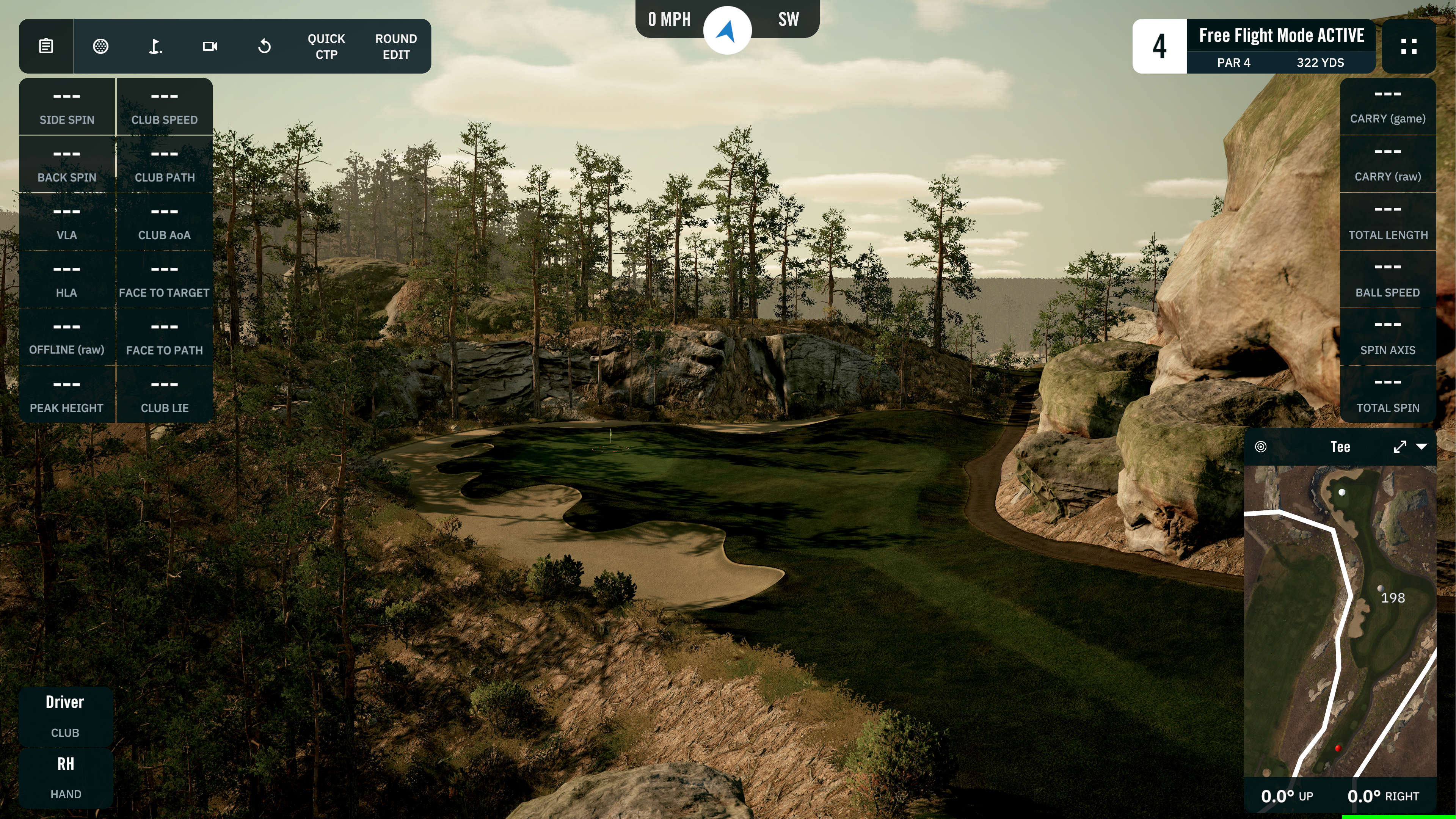

E6 Connect — free basic, paid plans
The most widely compatible simulator software — works with more launch monitors than any other platform. Clean interface, strong course selection. Several launch monitors include E6 courses free at purchase: the Mevo Gen2 includes 8 courses, the Garmin R10 includes Bandon Dunes. Paid plans unlock larger course libraries.
Runs on iOS and PC — the right choice if you want to avoid buying a dedicated Windows machine. e6connect.com
TGC 2019 (The Golf Club)
The most visually realistic course simulation available. Community-built course library of tens of thousands of layouts. Popular among golfers who prioritise graphics over data depth. Compatible with most major launch monitors.
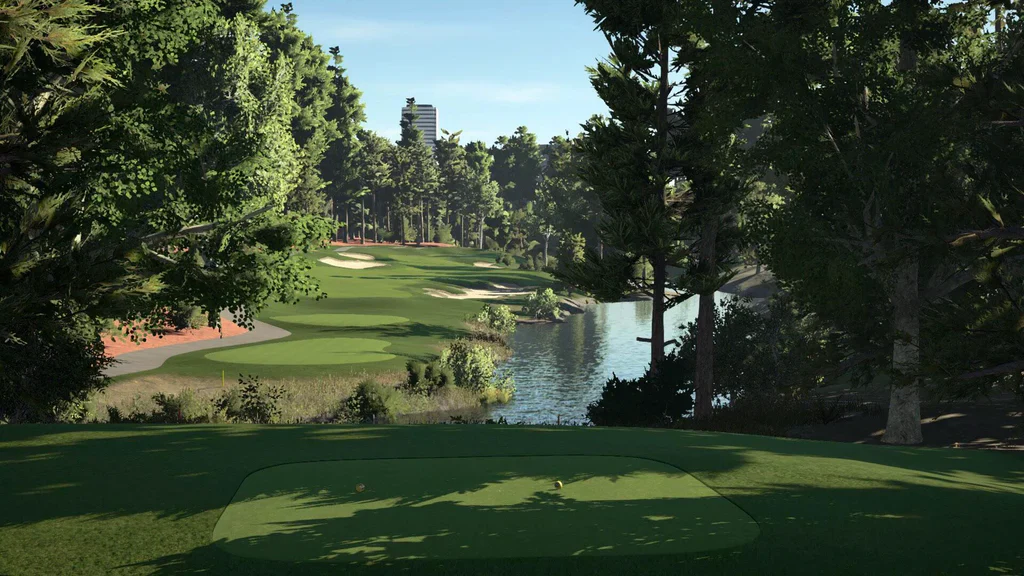
FSX Play (Foresight)
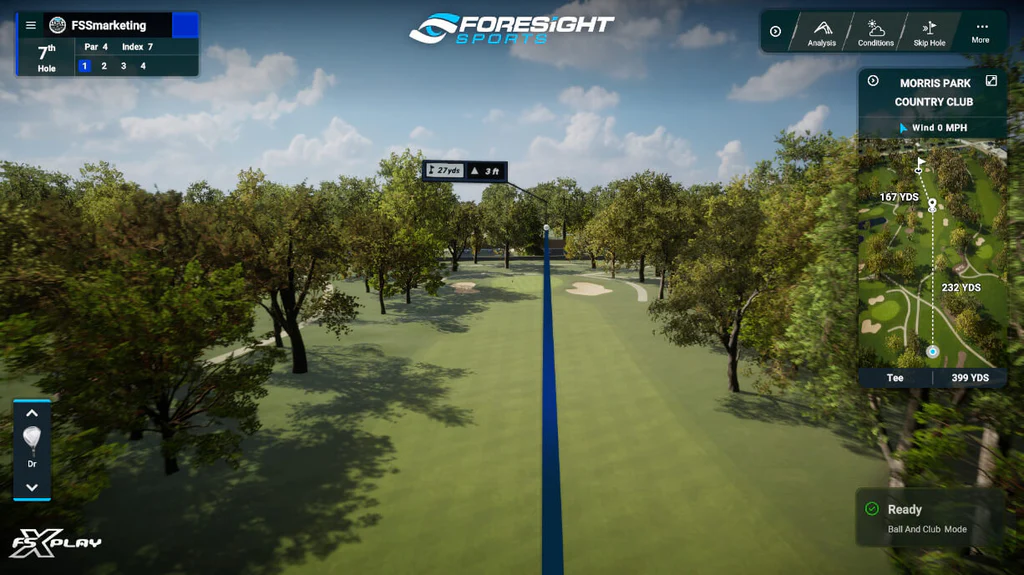
Required as a prerequisite for Foresight and Bushnell devices to access GSPro. Included with Foresight launch monitor purchases. If you are buying the GC3S or Bushnell Launch Pro, FSX Play is part of your setup — install it first, then add GSPro on top.
Check compatibility before you buy
Not every launch monitor works with every software. GSPro requires a Windows PC and has specific launch monitor prerequisites — check the GSPro supported device list before purchasing. E6 Connect runs on iOS and is more widely compatible. Buying the wrong launch monitor for your target software is one of the most common and expensive mistakes in home simulator builds.
Build by budget
Complete builds at three budgets.
Every component listed. All prices approximate and correct at May 2026. Check individual links for current UK pricing.
Entry
Under £1,500 — Practice setup
The minimum viable simulator. Accurate shot data, virtual course play on your phone or tablet, and a quality net for containment. No projector, no enclosure. The right starting point if you are unsure how much you will use a simulator.
What you need: A launch monitor with simulator software, a hitting net, and a hitting mat. Play your virtual round on your phone or iPad via the launch monitor app or E6 Connect.
Component list
- Garmin Approach R10— £479. Twelve metrics, Home Tee Hero, E6 and GSPro compatible.View on Amazon →
- ORFlightScope Mevo Gen2— £1,199. More accurate, no subscription, 8 E6 courses included.View on Amazon →
- Rukket Haack Golf Net— approx £150–200. Best value net, 3m wide, sturdy frame.
- Budget hitting mat— approx £100–200. Nylon surface with rubber backing.
Approximate total with R10: £750–900
Approximate total with Mevo Gen2: £1,450–1,600
Mid
£2,500–£4,500 — First proper simulator
A complete simulator experience — virtual courses projected life-size on an impact screen, a proper enclosed bay, and accurate data. The experience shifts from practice tool to genuine simulator at this budget. Add GSPro at approximately £200 per year for 200,000-plus virtual courses.
What you need: A launch monitor, a steel-frame enclosure with impact screen, a short-throw projector, and a quality hitting mat. Buy as a bundle from OpenGolfer where possible for guaranteed compatibility.
Component list
- FlightScope Mevo Gen2— £1,199. No subscription, 8 E6 courses, GSPro compatible.View on Amazon →
- OR (rooms under 4.5m deep)SkyTrak+— £1,695. Camera-based, works from 3.5m depth.
- SimSpace enclosure via OpenGolfer— approx £800–1,200. UK-manufactured steel frame, triple-layer impact screen.
- TrueStrike Single Golf Mat— approx £350–450. Silicone gel divot simulation, replaceable strip.
- BenQ TH671ST projector— approx £700–800. Community standard, 3,000 lumens, 1080p.
- GSPro— approx £200/year. 200,000+ courses, best putting realism.
Approximate total: £3,050–£3,900 plus GSPro at approx £200/year
Premium
£5,000–£10,000 — Dedicated simulator room
A permanent, professional-quality installation. Camera-based accuracy, premium enclosure, 4K projector, and a quality commercial mat. At this budget the simulator becomes the reason the room exists.
What you need: A camera-based launch monitor for maximum indoor accuracy regardless of ball flight distance. A premium enclosure with side containment and ambient light blocking. A 4K short-throw projector. A Fiberbuilt or TrueStrike mat for realistic divot feedback.
Component list
- Foresight GC3S— approx £3,499. Three-camera photometric accuracy, compact, no ball stickers needed.
- SimSpace premium enclosure via OpenGolfer— approx £1,200–2,000. Full-size bay, premium velour interior, maximum ambient light blocking.
- TrueStrike Academy or Fiberbuilt Player Preferred— approx £500–800. Commercial-grade, replaceable hitting strip.
- BenQ TK710STi projector— approx £1,200–1,500. 4K laser, community standard for premium builds.
- GSPro— approx £200/year. FSX Play required first for Foresight devices.
Approximate total: £6,400–£9,300 plus software
Professional
£15,000–£30,000+ — Professional installation
A TrackMan-powered simulator is a different category from everything above. This is not a better version of the Premium build — it is a professional coaching or entertainment installation where data accuracy is the primary specification and budget is secondary. The same technology used on every professional tour and in every serious fitting studio worldwide.
Two hardware options: TrackMan iO mounts to the ceiling, requires no minimum floor clearance in front of or behind the ball, and works in tighter bays. TrackMan 4 is portable and works both indoors and outdoors. Both run TrackMan's Virtual Golf 3 simulator software with 500-plus courses and TrackMan Performance Studio for coaching and analysis. Annual software subscription is USD 700 per year for iO Home and USD 1,100 per year for all other configurations.
A complete TrackMan simulator solution — hardware, enclosure, projector, and installation — starts at approximately USD 28,490. Contact an authorised UK dealer for a current quote that reflects your specific room dimensions and configuration.
What you need: A TrackMan launch monitor (iO or TM4), a premium enclosure with high-quality impact screen, a 4K short-throw projector, a commercial-grade hitting mat, and a capable Windows PC. Professional installation is recommended for TrackMan iO due to the ceiling-mount calibration requirements.
Component list
- TrackMan iO (Home Complete)— From USD 23,495 (~£18,500) + USD 1,100/yr software. Ceiling-mounted. 23 parameters including full club delivery data. No minimum floor clearance. Best for a permanent fixed bay where portability is not needed. Contact authorised UK dealer.
- ORTrackMan 4 (Indoor-Outdoor)— USD 25,495 (~£20,000) + USD 1,100/yr software. Portable — works indoors and outdoors. 40+ parameters. Requires minimum 4.7m to net, 9ft ceiling, and Indoor Lighting Kit for full accuracy. Contact authorised UK dealer.
- SimSpace premium enclosure via OpenGolfer— approx £1,500–2,000. Full-size bay, premium velour interior, maximum ambient light blocking.
- Fiberbuilt Player Preferred mat— approx £500–800. Commercial-grade permanent installation standard.
- BenQ TK710STi projector— approx £1,200–1,500. 4K laser, no bulb replacement, community standard for premium and professional builds.
- Capable Windows PC— Budget approx £1,500–2,500 for a machine that meets TrackMan's minimum spec: Windows 11, Intel i7 3.4GHz, 32GB RAM, Nvidia RTX 4070ti, 1TB SSD. Mac is not supported for TPS or VG3.
- TrackMan Virtual Golf 3 (VG3)— 500-plus courses. Included in first-year software subscription. USD 700–1,100/yr from year two.
Approximate total
£23,000–£32,000+ including hardware, enclosure, mat, projector, and PC. Annual software USD 700–1,100/yr. All TrackMan pricing indicative in USD — confirm GBP with an authorised UK dealer. TrackMan complete simulator solutions start at USD 28,490 including Sim Kit.
Full comparison
Component options at a glance.
Launch monitors
Full comparison in our Launch Monitors guide →| Product | Price | Type | Indoor depth | Subscription | Simulator software |
|---|---|---|---|---|---|
| Garmin R10 | £479 | Radar | 4.5m+ | Garmin Golf (optional) | E6, GSPro, Home Tee Hero |
| FlightScope Mevo Gen2 | £1,199 | Fusion radar | 4.5m+ | None | E6, GSPro, all major |
| SkyTrak+ | £1,695 | Camera + radar | 3.5m+ | Course play required | E6, GSPro, all major |
| Foresight GC3S | ~£3,499 | 3-camera | 3.5m+ | FSX Play for GSPro | E6, GSPro, all major |
| TrackMan iO | From ~£11,000 | Radar + infrared + camera (ceiling-mounted) | No minimum | USD 700–1,100/yr software | VG3 (500+ courses) |
| TrackMan 4 | From ~£20,000 | Dual radar + OERT | 4.7m+ to net | USD 1,100/yr software | VG3 (500+ courses) |
TrackMan prices are USD converted to approximate GBP. Contact an authorised UK dealer for current UK pricing and configuration options.
Nets and enclosures
| Option | Price | Type | Best for |
|---|---|---|---|
| Rukket Haack net | £150–200 | Net only | Entry budget, moveable setup |
| Budget impact screen | £100–200 | Screen only | Add projection cheaply |
| SimSpace Sim 2 enclosure | £800–1,200 | Full enclosure | Permanent mid-range setup |
| SimSpace premium | £1,500–2,000 | Full enclosure | Dedicated simulator room |
Hitting mats
| Mat | Price | Best for |
|---|---|---|
| Budget nylon mat | £100–200 | Entry level, occasional use |
| TrueStrike Single | £350–450 | Mid-range, realistic divot, UK-based |
| Fiberbuilt Player Preferred | £500–800 | Premium permanent installation |
Projectors
| Projector | Price | Resolution | Best for |
|---|---|---|---|
| Budget short-throw | £300–500 | 1080p | Entry, low-light room |
| BenQ TH671ST | £700–800 | 1080p | Mid-range, most rooms |
| BenQ TK710STi | £1,200–1,500 | 4K laser | Premium dedicated room |
Prices checked May 2026. UK retail prices vary by retailer. OpenGolfer prices are for SimSpace enclosures and Foresight devices via their UK store.
About this guide
Independent, reader-supported, UK-focused.
TopSold Golf is independently owned and reader-supported. Our buying guides synthesise independent expert reviews, verified UK buyer feedback, and live retailer pricing, refreshed at the date shown above. We never accept payment for placement, and verdicts are unaffected by affiliate revenue.
How we rank
How this guide is built.
Component recommendations in this guide are based on aggregated independent expert reviews, verified UK buyer feedback, and community consensus from major simulator forums. Price data is checked at publication and refreshed at the date shown. OpenGolfer is referenced as a UK specialist — we do not currently have an affiliate relationship with them.
FAQ
Frequently asked questions about home golf simulators.
- How much does a home golf simulator cost in the UK?
- A minimum viable practice setup — launch monitor, hitting net, hitting mat — costs around £750 to £1,600 depending on which launch monitor you choose. A proper enclosure with impact screen and projector starts at around £2,500 to £3,500 as a bundle. A dedicated studio with camera-based accuracy costs £5,000 to £9,000. Add approximately £200 per year for GSPro software.
- How much space do I need for a home golf simulator?
- Minimum 2.7 metres ceiling height (3 metres is comfortable), at least 3 metres room width, and at least 4.5 metres room depth for a radar-based launch monitor. Camera-based monitors (SkyTrak+, Foresight GC3S) work in rooms as shallow as 3.5 metres. Measure your space precisely before buying anything.
- Can I build a golf simulator in my garage?
- Yes — garages are one of the most common UK home simulator locations. A typical double garage is more than wide enough and usually has adequate depth. Key considerations are ceiling height (measure the usable height away from the door where you will stand), temperature control in winter, and ambient light — you may need to block windows for projector image quality. A retractable screen setup lets you still park when the simulator is not in use.
- Which launch monitor is best for a home simulator?
- For rooms over 4.5 metres deep, the FlightScope Mevo Gen2 at £1,199 with no subscription is the strongest value. For rooms under 4.5 metres deep, the SkyTrak+ at £1,695 is better because it sits beside the ball rather than behind it. For a permanent professional installation, the Foresight GC3S delivers three-camera accuracy that independent testing places at the top of the consumer market.
- Do I need a PC to run a golf simulator?
- It depends on your chosen software. GSPro — the most popular choice — requires a Windows PC. E6 Connect runs on iPad and iOS, which means you can run a simulator without a PC if you choose E6. If you plan to use GSPro, budget for a gaming-capable laptop or desktop with a current Nvidia GPU.
- What is the difference between a hitting net and a full enclosure?
- A hitting net catches the ball and costs £100 to £300. You play virtual golf on a phone or tablet screen beside the net. A full enclosure has a steel frame, impact screen, and side returns — you project your virtual course onto the screen and the enclosure contains all missed shots. The net setup is cheaper and more portable. The enclosure setup is more immersive and better for a permanent installation.
- Is a home simulator worth the money?
- For golfers who play regularly and lose significant practice time to UK winters, the maths often works. A range session costs £10 to £20. A £2,500 setup amortised over five years costs £500 per year — similar to twenty-five range sessions with no data, no course play, and no weather protection. For golfers who play fewer than ten times per year, the calculation is harder to justify.
- Is a TrackMan simulator worth it for a home build?
- TrackMan is the benchmark professional launch monitor — the system every other monitor in this guide is measured against. For a home simulator build it is genuinely worth considering if two conditions apply: your budget is £20,000 or above for the full setup including enclosure and PC, and data accuracy is your primary specification rather than entertainment value. TrackMan iO is the more practical home choice. It ceiling-mounts cleanly, requires no minimum floor clearance in front of or behind the ball, and works in a tighter bay than a floor-mounted radar unit. iO Home starts at USD 13,995 for ball data only — iO Home Complete at USD 23,495 adds full club delivery data, which most serious golfers need. TrackMan 4 adds outdoor portability — the same unit goes to the range or a fitting day. At USD 25,495 it is the right choice if the monitor needs to work both indoors and outdoors. For most home builds, the Foresight GC3S or SkyTrak+ delivers excellent accuracy at a fraction of the cost. TrackMan is the answer when the professional specification is the point, not just a nice-to-have.
Also in this series
The most important companion to this guide: our full Launch Monitors guide — your launch monitor is the single most important simulator decision, and every major device is compared in detail there.
Looking for precision yardages on the course? Our rangefinders buying guide covers every major UK model from £89 to £599, with the same independent analysis.
Want course data on your wrist? Our GPS watches buying guide covers every major model from the Shot Scope G6 at £80 to the Garmin Approach S70 flagship.